Multiple Certificates Pro for LearnDash
Diverse Achievements, Unique Certificates
Enhance your LearnDash courses with ‘Multiple Certificates Pro for LearnDash’, allowing you to award personalized certificates for different achievements, making learning more engaging and rewarding.

Current Version
1.3.0
WordPress
6.3.1 or Higher
LearnDash
4.8.0 or Higher
PHP
8.1 or Higher
Last Update
22 July 2024
Plugin Overview & Features
Picture this: You run an e-learning website, and one of your courses is all about cooking. Now, your students aren’t just learning one recipe; they’re mastering an entire culinary journey. Each chapter in the course represents a unique skill, from baking to grilling, and every skill deserves its own certificate of achievement.
With the default LearnDash setup, it’s like offering just one certificate for your entire cooking course. It’s like saying, “Here’s your diploma for everything you’ve learned, from making soufflés to sizzling stir-fries.”
But in the real world, that doesn’t quite cut it, right? Imagine a culinary school giving just one certificate for all their diverse cooking skills. That’s where “Multiple Certificates Pro for LearnDash” comes in.
Our plugin lets you do something amazing: for each skill your students master, they receive a personalized certificate. So, when they ace the art of baking, they get a baking certificate. When they become grill masters, they get a grilling certificate.
It’s like earning badges for different achievements. You don’t receive a single badge for all your accomplishments; you get unique ones for every skill you’ve honed. It’s that sense of accomplishment, that personal touch that keeps your students motivated and excited about learning.
With “Multiple Certificates Pro for LearnDash,” you can now create a more engaging and personalized learning experience that keeps your students coming back for more. Tailor your certification process to your learners and watch their enthusiasm and success soar. Elevate your courses, boost engagement, and unlock the potential of personalized certificates with our plugin today!
How Can This Plugin Be Used?
- Mastery in Multi-Stage Courses
- Recognition of Micro-Credentials
- Corporate Training Recognition
- Quizzes-Based Certification
- Specialized Certifications for Individual Lessons
- Automatically Email Certificates
- Tiered Skill Levels
- Course Bundles with Multiple Achievements
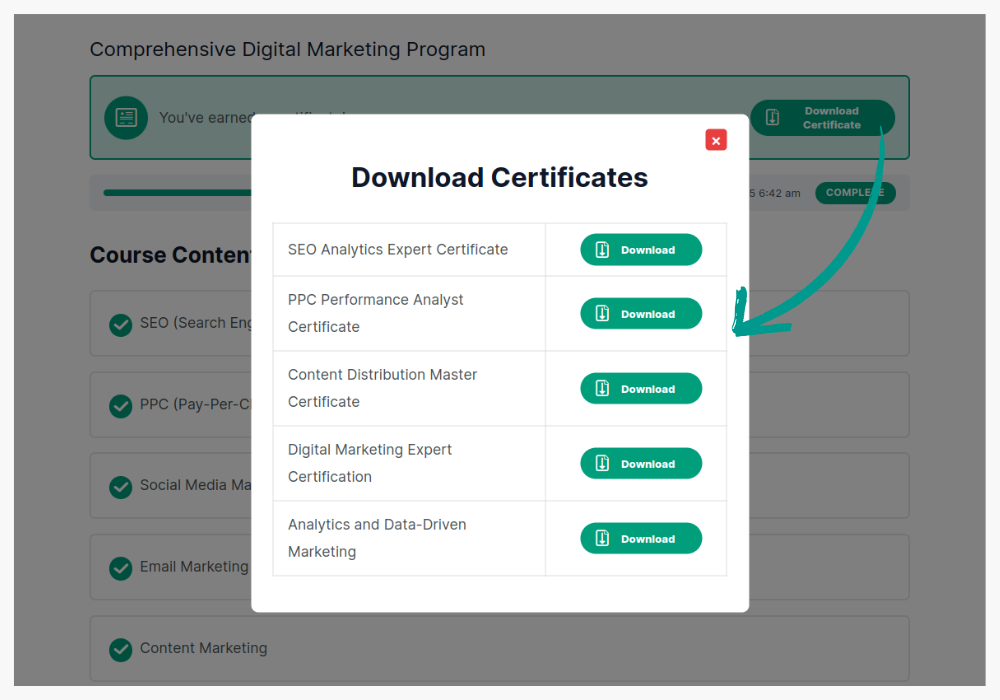
For a course that covers multiple topics, such as a comprehensive digital marketing program, you can issue certificates for each module (e.g., SEO, PPC, social media).
By using this LearnDash certificate plugin, students receive a certificate for each skill, keeping them motivated throughout the course.
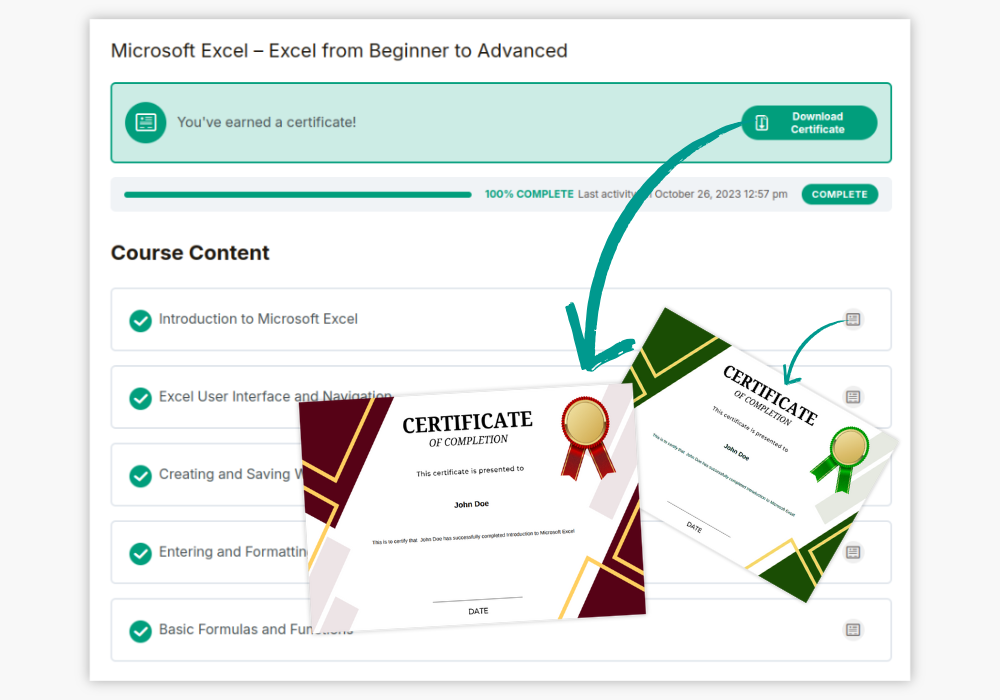
Micro-credentialing is increasingly popular, where learners earn credentials for specific skills or short courses.
With the plugin, you can easily issue LearnDash certificates for each micro-course, building a comprehensive certification portfolio for students.
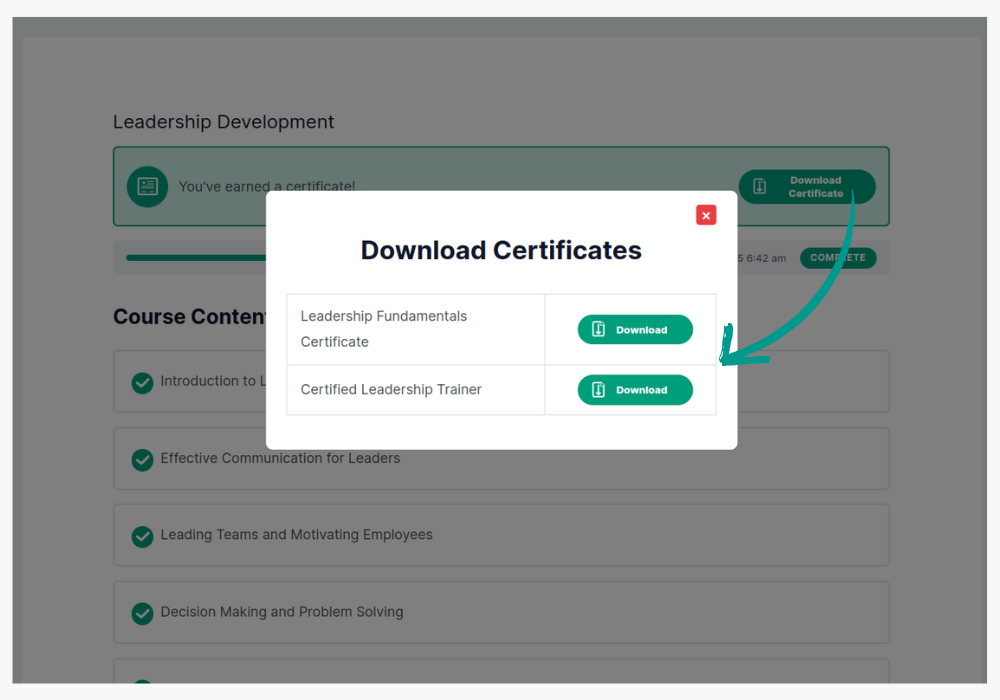
Incorporate multiple certificates for a company’s internal training program.
Employees completing individual training topics, like workplace safety or leadership, can receive multiple certificates using the LearnDash certificate plugin, giving them a clear record of their progress in different areas of expertise.
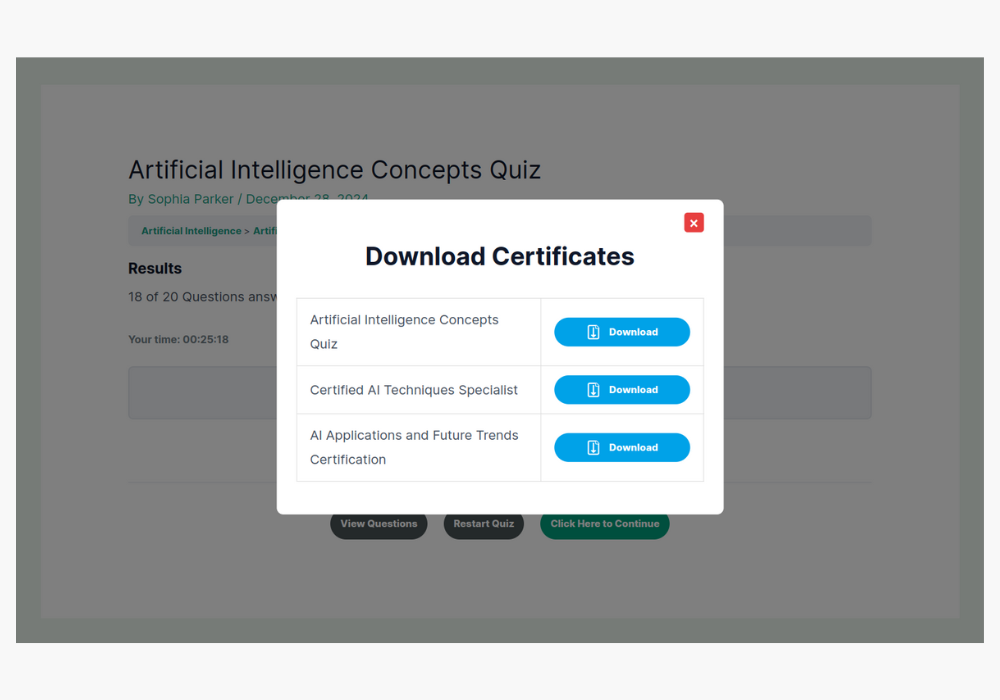
For courses that feature various quizzes, like IT certification courses, you can set up certificates for passing each quiz.
The plugin allows you to automatically email certificates after quiz completion, enhancing the use of LearnDash email certificate features.
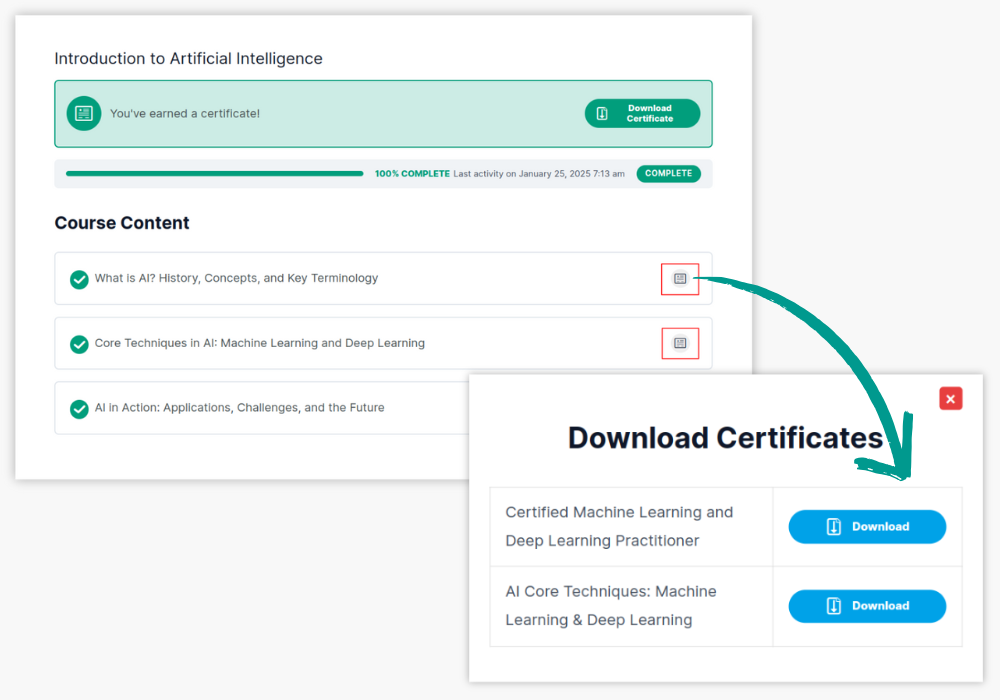
In cases where specific lessons warrant their own recognition, such as CPR training within a larger health and safety course, students can earn multiple LearnDash certificates as they complete each lesson, providing acknowledgment for mastering essential skills.
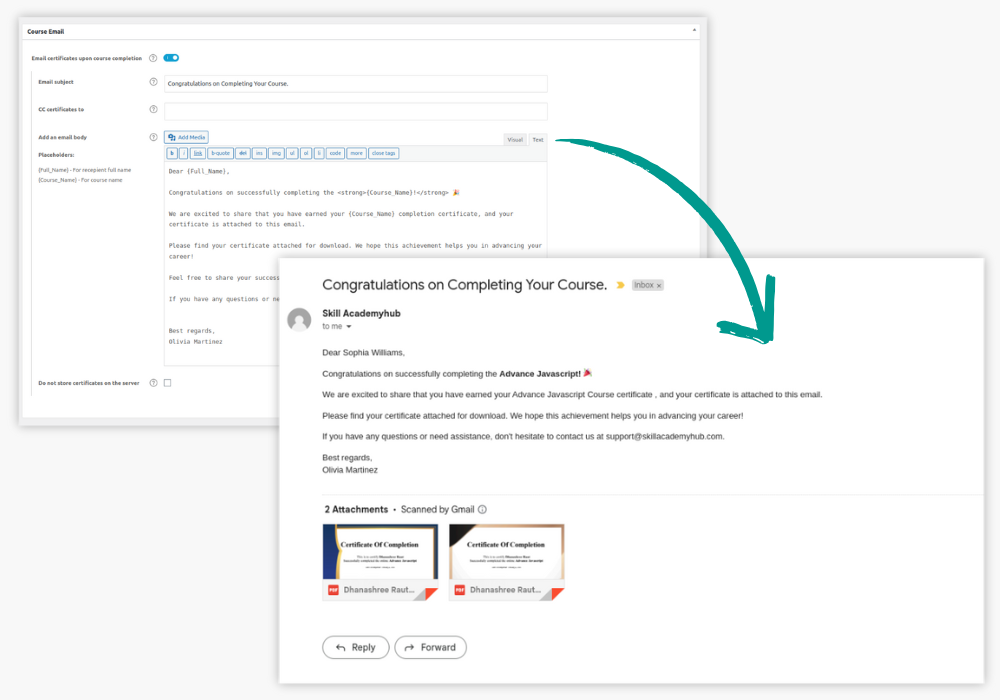
When students complete a course or quiz, the plugin integrates with LearnDash email certificate functionality, ensuring certificates are sent directly to the student’s inbox.
This is useful for remote learners who need immediate access to their certifications for career or academic progression.
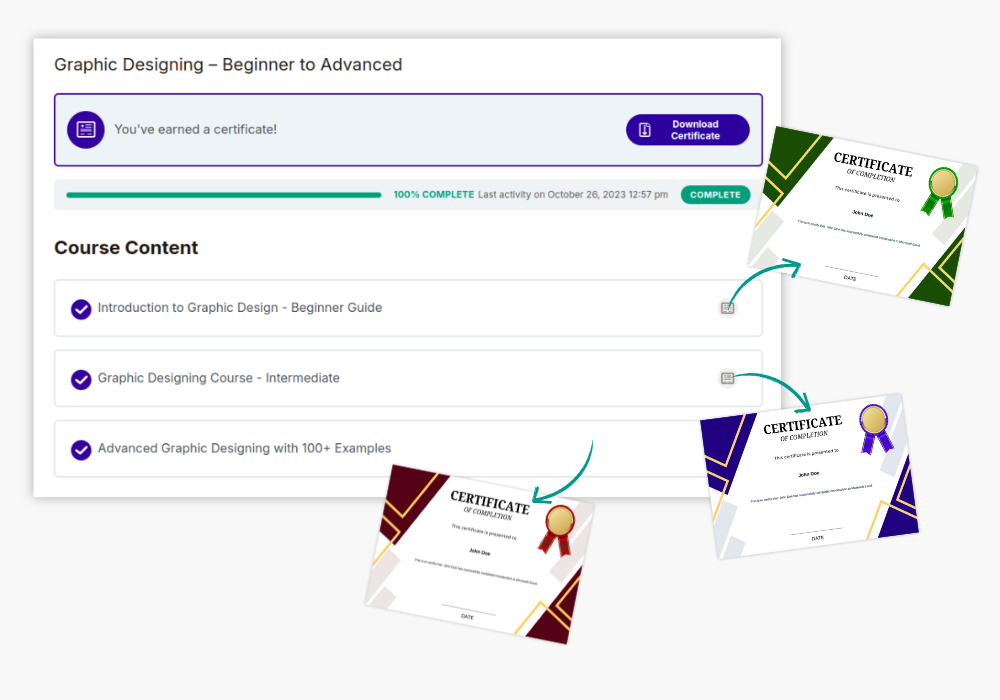
For a course with tiered skill levels, like beginner, intermediate, and advanced graphic design, you can issue a LearnDash certificate at each level.
Students who progress from one level to the next will receive personalized certificates for each achievement.
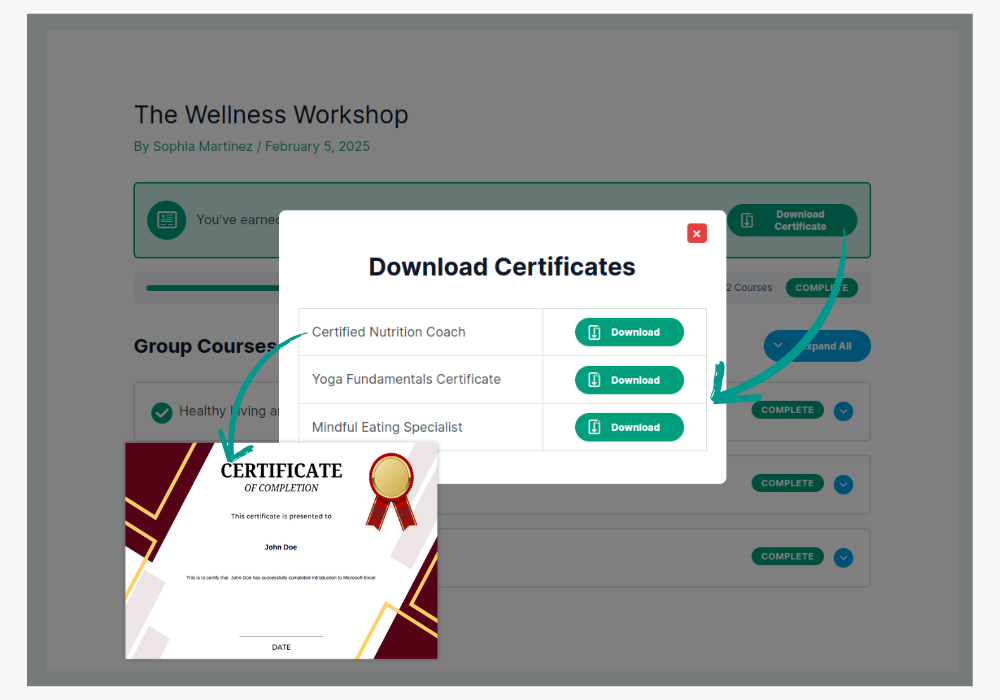
For bundled courses like a fitness program combining nutrition, strength training, and cardio, issue separate certificates through the LearnDash certificate plugin for each aspect of the program. Students receive recognition for every element they master within the course bundle.
Why Choose Multi-Certificate Pro?
Issue Multiple Certificates for a Single Course or a Quiz
Empower your e-learning experience. Customize recognition by issuing multiple certificates for your courses and quizzes, precisely the way you want.
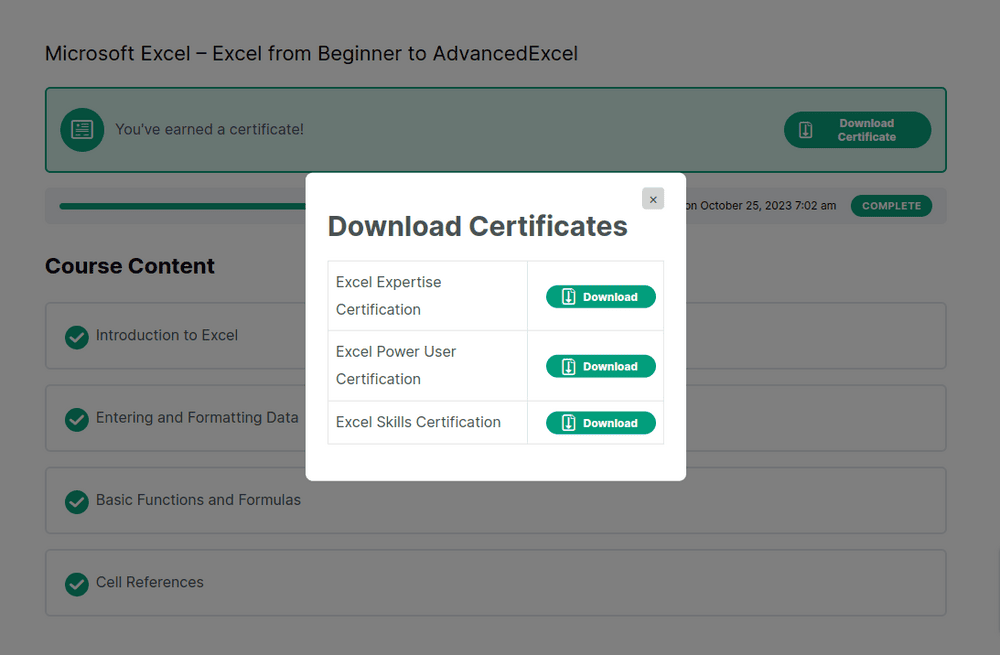
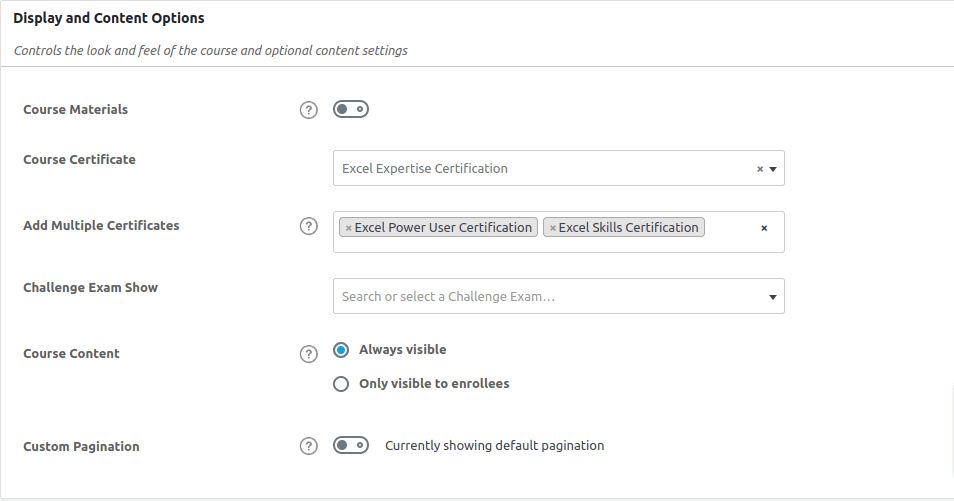
Easily Set Multiple Certificates for Courses and Quizzes
Simplify certification management. Add and assign multiple certificates to Courses and Quizzes effortlessly, all from the convenient backend of your system.
NEW
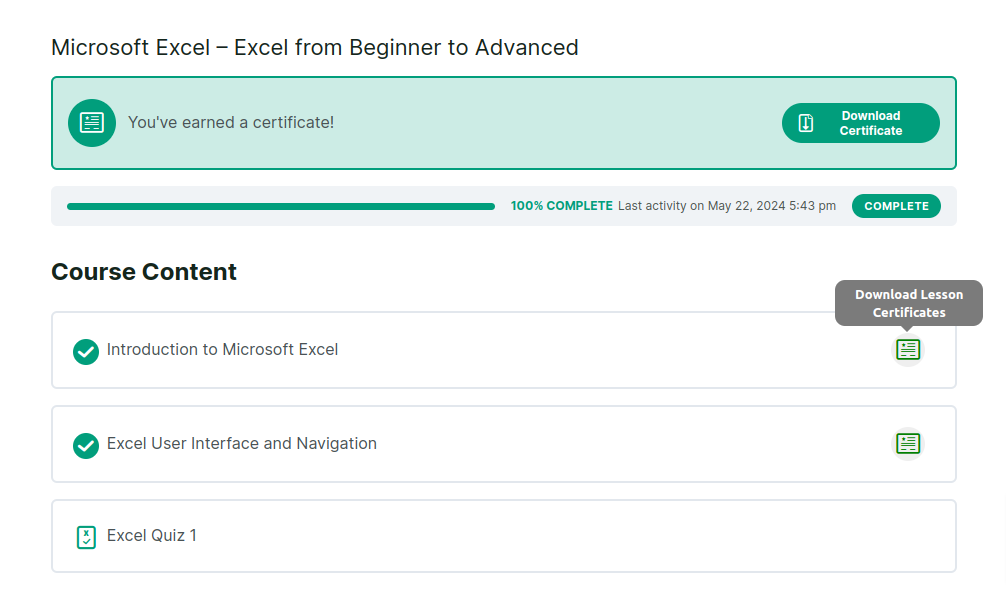
Issue Multiple Certificates on LearnDash Lessons!
Now, you can award certificates for individual LearnDash lessons—multiple certificates for multiple lessons! Have 5 lessons and want to give a certificate for each? Or want to award 2 certificates for a single lesson? Eitherway, we’ve got you covered!
NEW
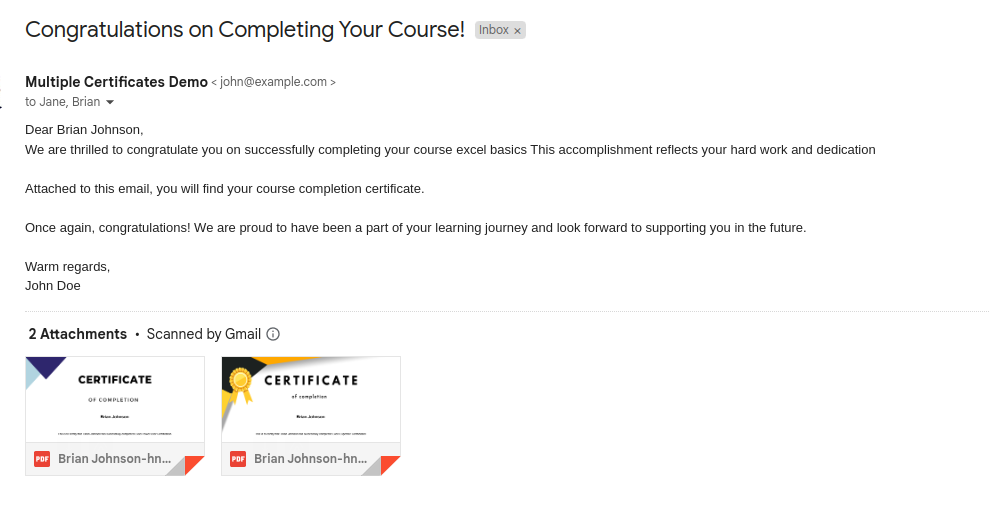
Automatically Email certificates upon Course, Quiz, Group, and Lesson completion!
You can enable emails that are sent automatically to the students with the certificates earned by them for every course, quiz, group, and/or lesson completion. These certificates are also saved to the server by default but also come with an option to turn off saving if you wish to.
NEW
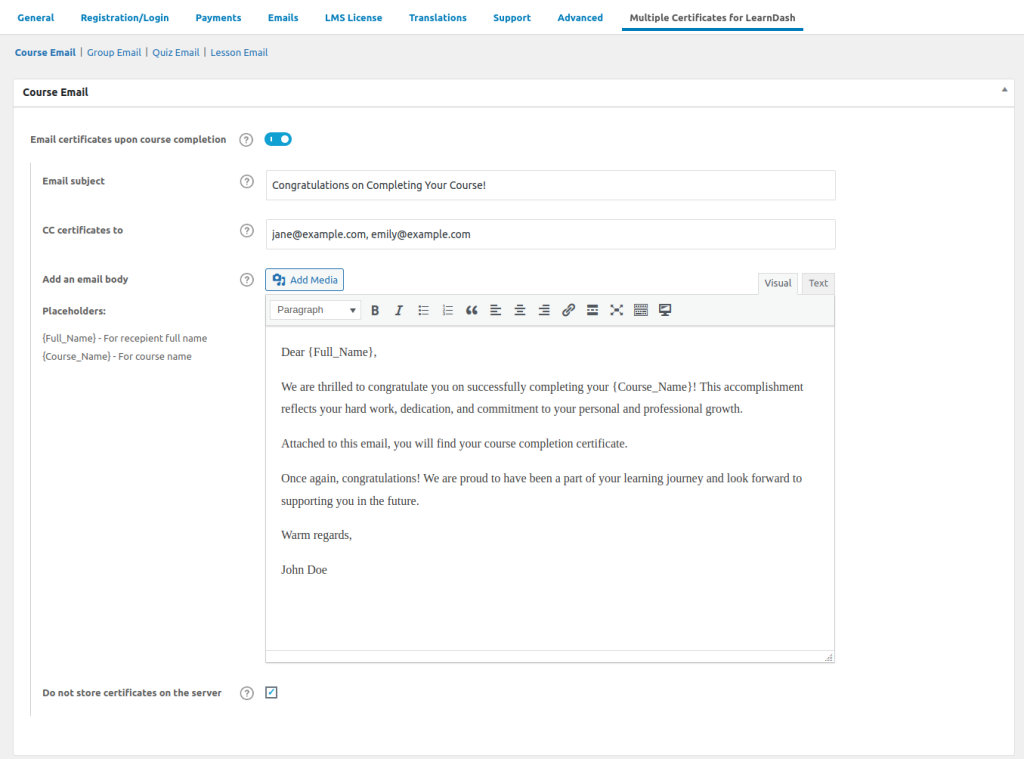
Configure and Personalize Automatic Emails Quickly
You now have the complete control over everything related to automatic emails with certificates that are sent on course, quiz, group and/or lesson completion. You can configure email subject, CC certificates, email body and also personalize these emails using placeholders like {full_name}, {course_name}, {quiz_name}, {group_name}, {lesson_name}!
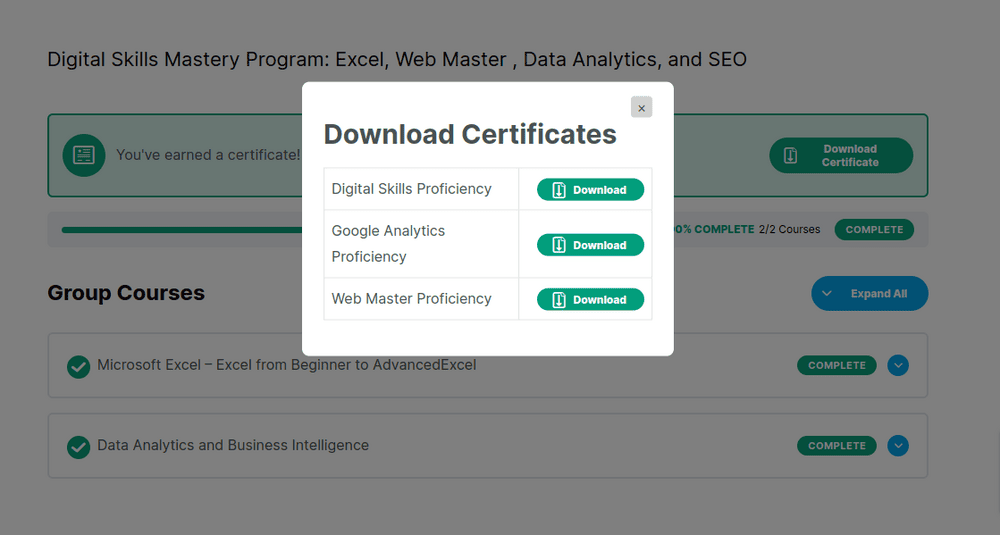
Works for Groups Certificates
Unlock Collective Achievements. Effortlessly grant multiple certificates for groups
How Can You Benefit From Dynamic Cart Messages Pro
1Enhance Customer Engagement
Engaging customers throughout their shopping journey is key to building loyalty and driving conversions. With personalized cart messages tailored to their specific purchases, you can keep customers interested and motivated to continue shopping. Dynamic Cart Messages Pro allows you to craft engaging messages that grab attention—whether it’s offering a discount for reaching a cart total, reminding them of a special promotion, or simply making their shopping experience feel more interactive. These timely nudges enhance the overall user experience, making it more likely for customers to return.
2Reduce Cart Abandonment
Cart abandonment is a common issue for online stores, but you can counter this by displaying persuasive, well-timed messages that create urgency. By adding countdown timers for flash sales or alerting customers about low stock items in their cart, you can motivate them to act quickly before missing out. For example, messages like, “Hurry! Only 2 items left in stock” or “Complete your purchase within 10 minutes for an extra 5% discount” can push hesitant shoppers to follow through on their purchases, minimizing abandonment rates.
3Boost Average Cart Value
Dynamic Cart Messages Pro enables you to prompt customers to add more items to their cart in exchange for exclusive rewards. For example, you can show messages like, “Spend just $10 more to unlock a 15% discount or free shipping.” This nudge encourages customers to add one or more extra items to meet the threshold, increasing their overall purchase value and boosting your average order size. It’s a subtle yet powerful way to maximize revenue from each transaction without coming off as too salesy.
4Drive Cross-Sell & Upsell Opportunities
Cross-selling and upselling are essential strategies for increasing customers order value, and Dynamic Cart Messages Pro helps you automate these opportunities. The plugin can display relevant product suggestions based on the items already in a customer’s cart, encouraging them to explore related or higher-end products. For example, a message could say, “Add this matching accessory for just $5 more” or “Upgrade to the premium version of this product and save 10%.” These suggestions not only increase the value of the current order but also introduce customers to additional products they may not have considered.
5Guide Customers with Strategic Paths
Dynamic Cart Messages Pro ensures that your customers never feel lost during their shopping journey. By strategically placing messages on the product, cart, and checkout pages, you guide customers toward completing their purchase. For example, after adding an item to the cart, a message can pop up suggesting, “Only $15 away from free shipping!” or at checkout, “Complete your order now to enjoy 10% off on future purchases.” These guided prompts make the path to purchase smoother, removing any guesswork or indecision and encouraging customers to finalize their orders.
6Segmented Messaging for Tailored Offers
One of the key strengths of Dynamic Cart Messages Pro is its ability to segment messaging based on customer behavior, cart contents, or specific product categories. This allows you to tailor messages to fit your audience better. For example, if a customer has high-end products in their cart, you could display a message like, “Add another premium product to unlock exclusive rewards.” On the other hand, for customers browsing sale items, you might show, “Purchase an additional sale item and enjoy free shipping.” The more personalized the messaging, the more relevant and compelling it becomes, leading to higher conversion rates.
7Maximize the Impact of Promotions
Promotions are only as effective as the visibility they receive, and cart messages are a perfect tool to ensure your offers don’t go unnoticed. Whether it’s a seasonal sale, a limited-time discount, or a special event, Dynamic Cart Messages Pro helps you spotlight these promotions on key pages like the cart, checkout, and even product pages. For example, you can display, “Black Friday Deal: Add one more item and save 20% on your entire purchase!” This feature ensures customers are fully aware of any promotional offers, increasing the likelihood they’ll take advantage of them and make larger purchases.
8Create FOMO (Fear of Missing Out)
Leveraging FOMO is one of the most effective ways to prompt immediate action, and Dynamic Cart Messages Pro allows you to do this seamlessly. Display messages that convey urgency, such as “Limited time only: Add one more item and save 10%,” or highlight stock scarcity with “Only a few left—don’t miss out!” These messages tap into the customer’s desire not to miss a great deal or lose out on popular items, pushing them to act faster and complete their purchase before it’s too late. This strategy can lead to faster conversions and reduce the likelihood of customers abandoning their carts.
Elevate Your e-Learning: Click for a Live Demo of 'Multiple Certificates Pro for LearnDash'
View DemoPricing Plans
Multiple Certificates Pro For LD
$140
$80
Multiple Certificates PRO PLUS
$290
$125
LearnDash Basics Addon Pack
$490
$135
Multiple Certificates Pro For LD
$449
$249
Multiple Certificates PRO PLUS
$699
$399
LearnDash Basics Addon Pack
$1500
$449
100% Risk-Free Money Back Guarantee!
We guarantee you a complete refund for new purchases or renewals if a request is made within 15 Days of purchase
Frequently Asked Questions
What is Multiple Certificates Pro for LearnDash?
Multiple Certificates Pro for LearnDash is a plugin that enhances LearnDash functionality by allowing you to award additional certificates to students along with the primary certificate upon the completion of a course, quiz or group courses.
Why do I need this plugin?
LearnDash only supports one certificate per course, quiz, or group by default. With this plugin, you can create a more flexible and customized learning experience by awarding multiple certificates for different achievements within your courses.
From Where Can Students Access Their Certificates?
After completing the required courses, group courses or quiz, students can access their certificates from their profile. Certificates for the lessons, can be accessed from the main course page.
Is there a demo available to test the plugin before purchase?
Yes we offer a demo of the plugin to help you evaluate its features and see if it meets your needs. click here to see the demo.
How do I get started with Multiple Certificates Pro for LearnDash?
To get started, simply install and activate the plugin, then follow the user-friendly setup wizard and documentation to configure and use it effectively.
I am not able to find the solution I’m looking for. Can you develop it for me?
Yes, we offer LearnDash Development services for specific requirements.
How can admins enable the emailing of certificates upon completion of courses, quizzes, lessons, or groups
Admins can enable emailing of certificates by accessing the plugin settings which can be found under LearnDash settings -> Multiple certificates for LearnDash, there will be separate tabs to enable certificate emailing for each type of completion (course, quiz, lesson, or group). Once enabled, the admin can customize the email body, add a subject, and specify a CC list for the emails.
Can admins customize the email content and recipients for the certificates?
Yes, admins can fully customize the email content. In the plugin settings, there are fields where admins can write the email body, set the email subject, and add a list of email addresses to be CC’d. This allows admins to tailor the communication to meet their needs.
Is it possible to choose whether certificates should be saved on the server or not?
Yes, admins have the option to choose whether the certificates should be saved on the server. Saving of certificates can be enabled or disabled for group/course/quiz/lesson.
Where are certificates for group / course / lesson / quiz saved?
If saving certificates to the server is enabled, you can find the saved certificates in the following directories:
Course certificates: /uploads/mcsld-multiple-certificates/mcsld-course-certificates
Group certificates: /uploads/mcsld-multiple-certificates/mcsld-group-certificates
Quiz certificates: /uploads/mcsld-multiple-certificates/mcsld-quiz-certificates
Lesson certificates: /uploads/mcsld-multiple-certificates/mcsld-lesson-certificates
Screenshots
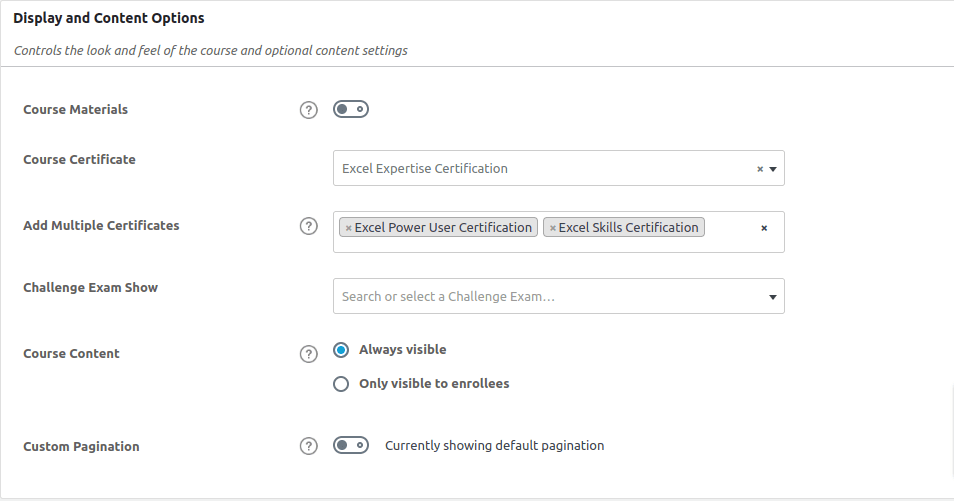
Setting multiple certificate for course
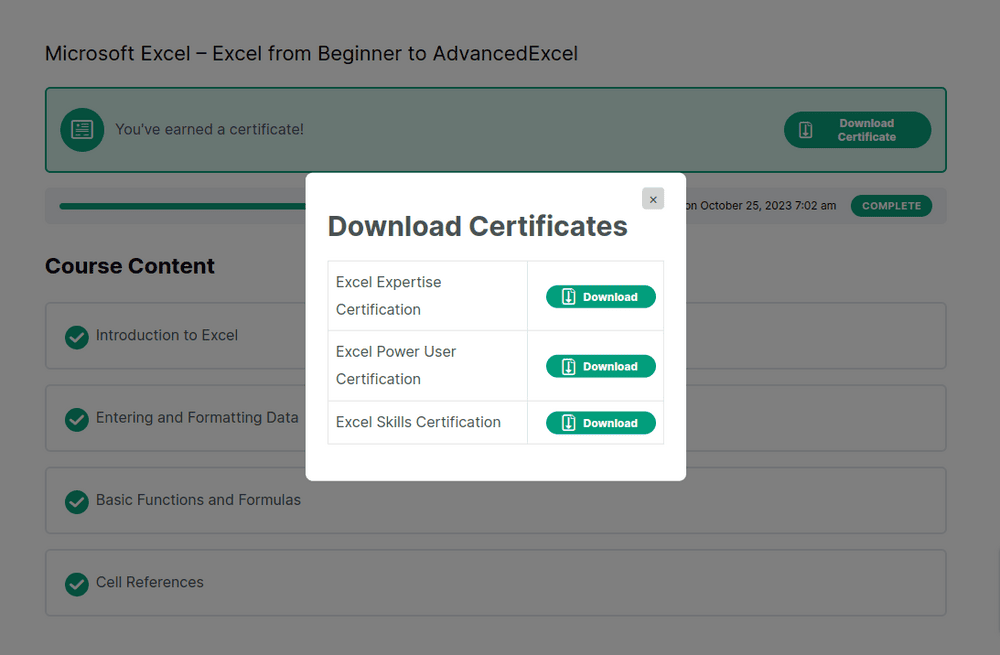
Download multiple certificates on course completion

Setting multiple certificate for quiz
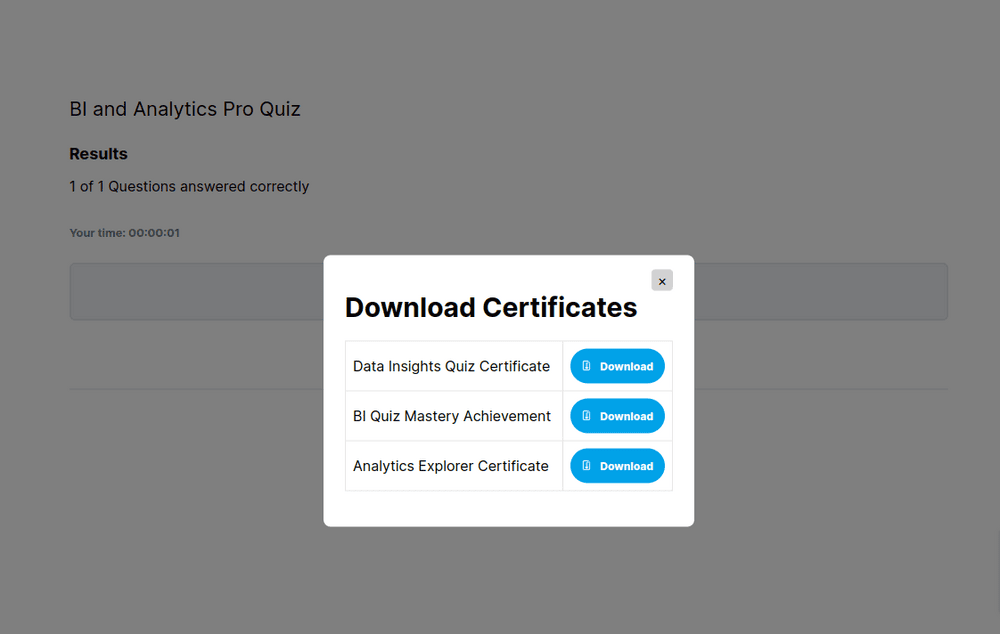
Download multiple certificate on quiz completion
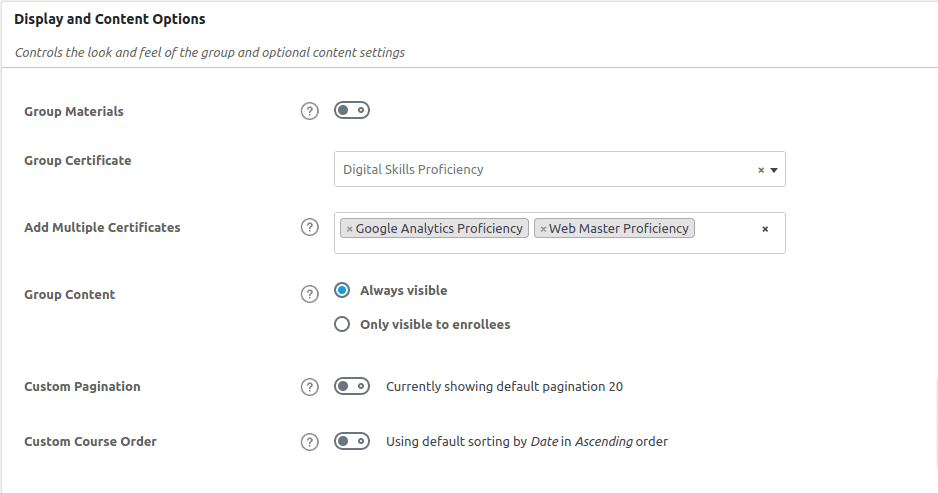
Setting multiple certificate for group
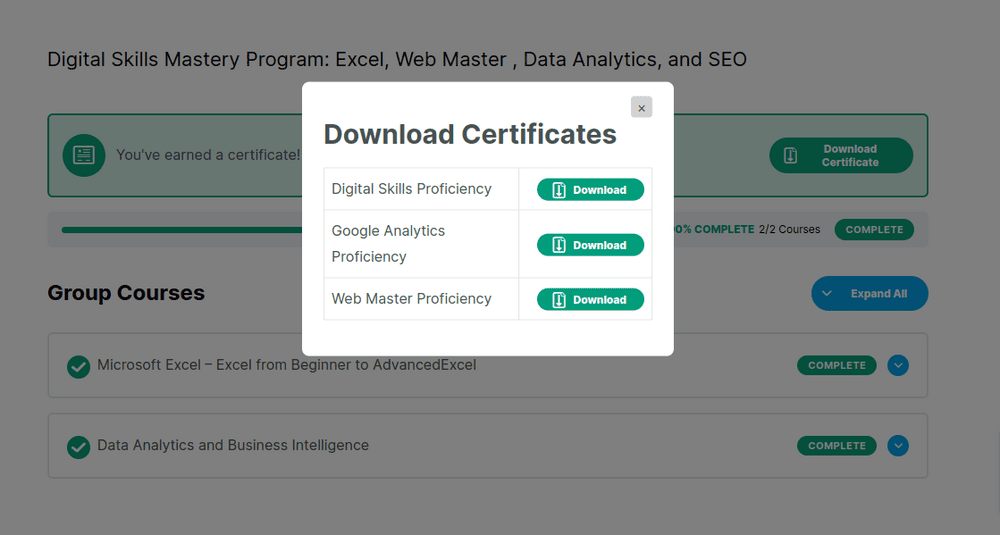
Download multiple certificate on group completion
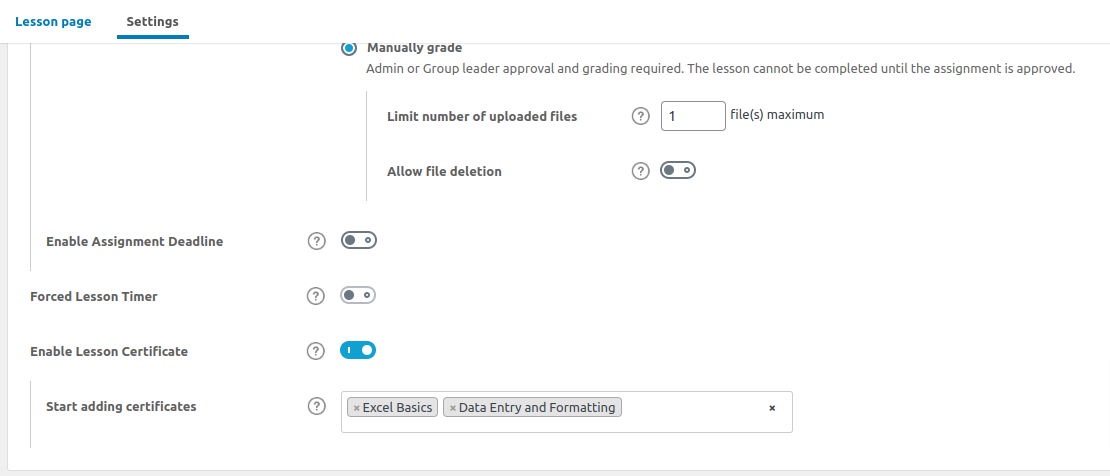
Adding certificates to lessons
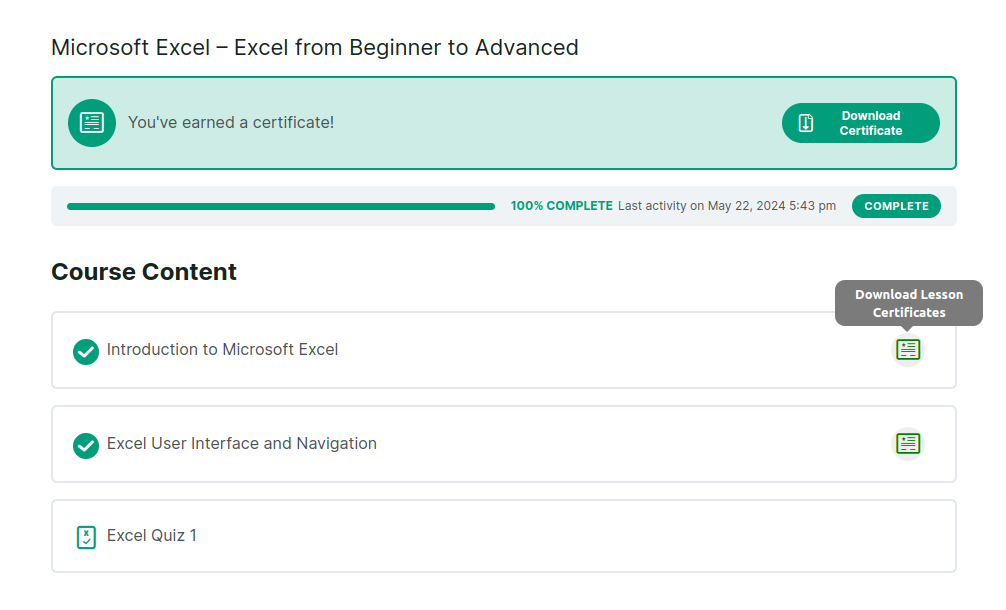
Certficate on lesson completion
Certficate on lesson completion
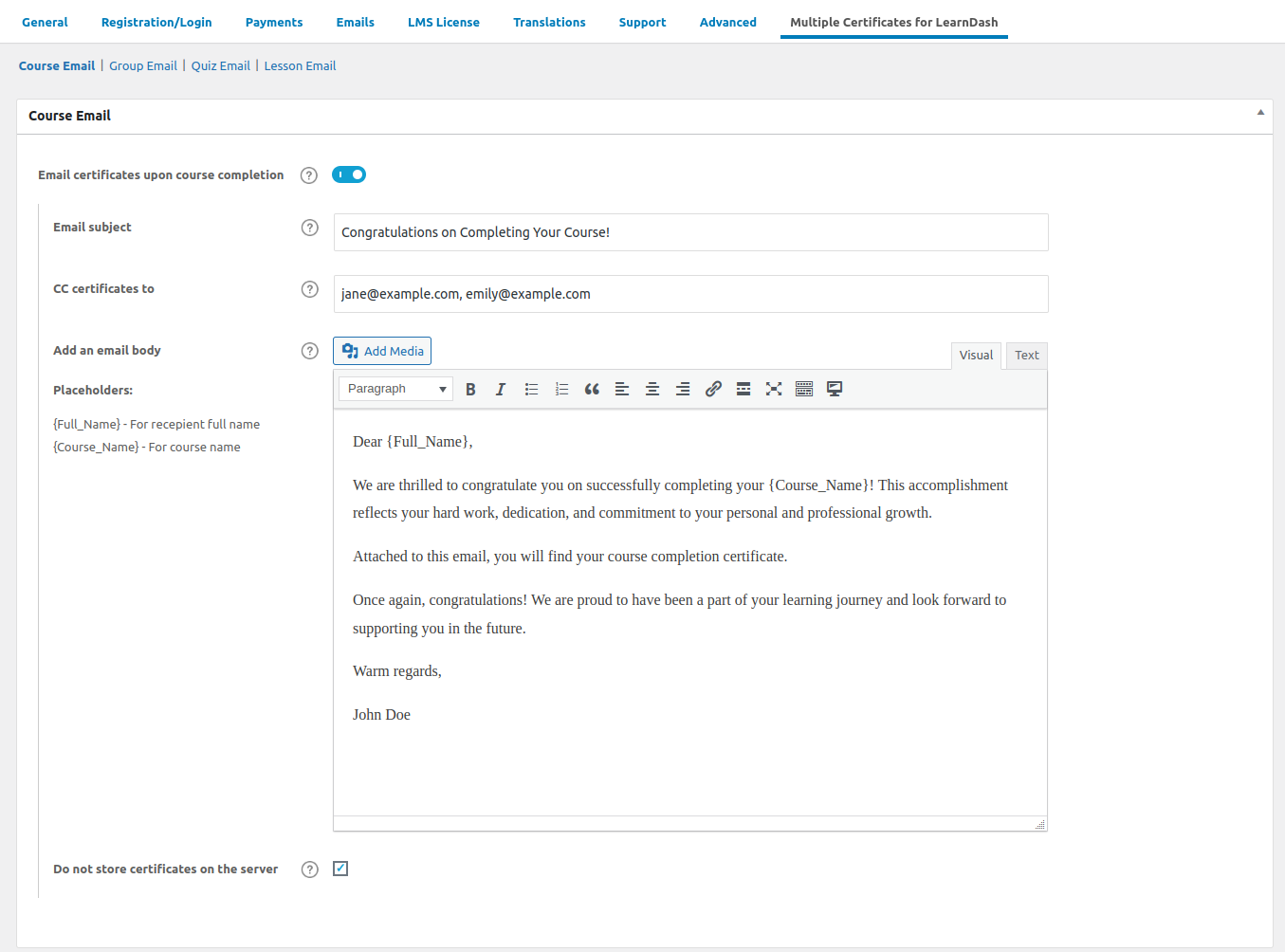
Course Certficates Email Settings
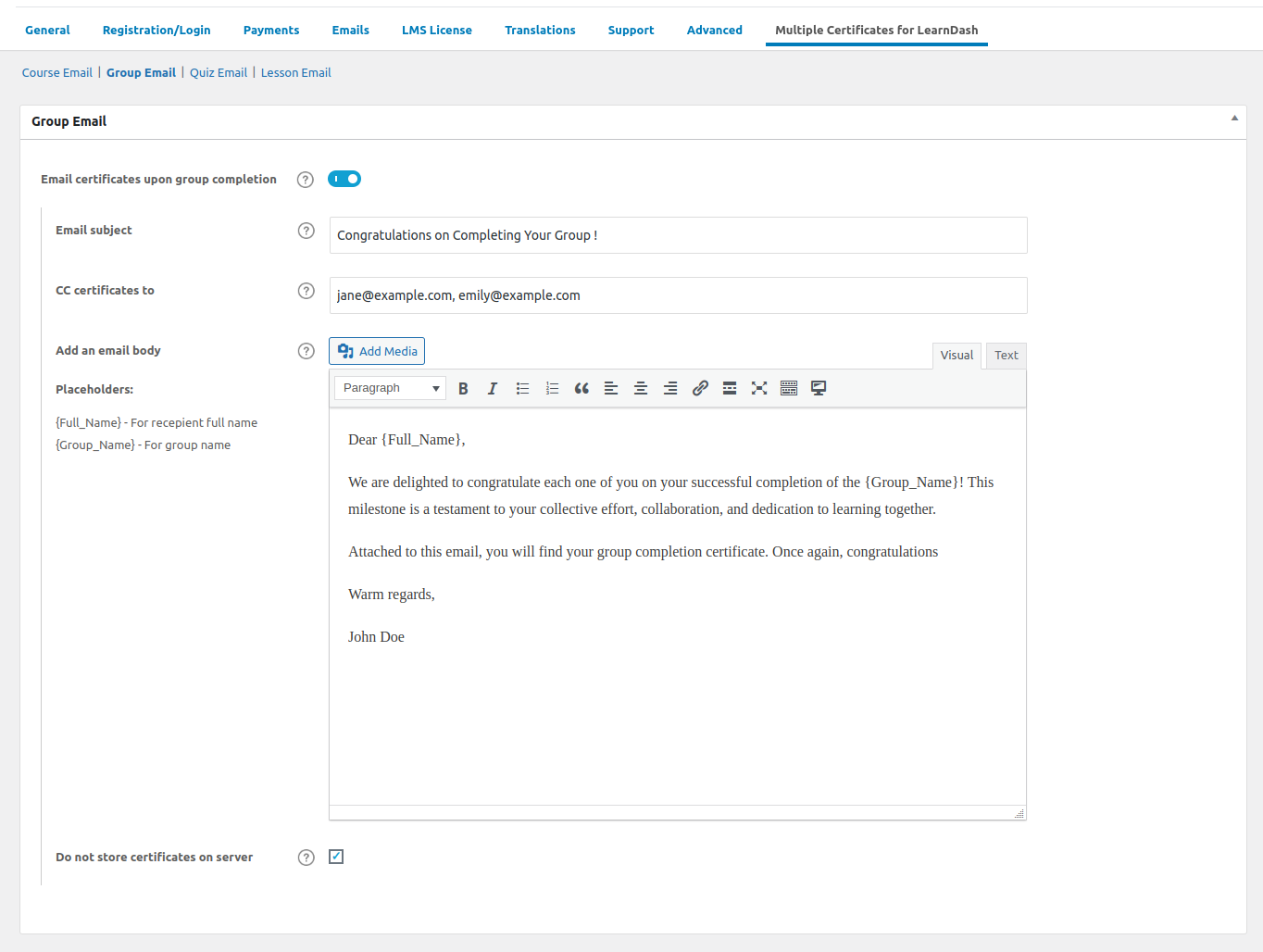
Group Email Certificate Email Settings
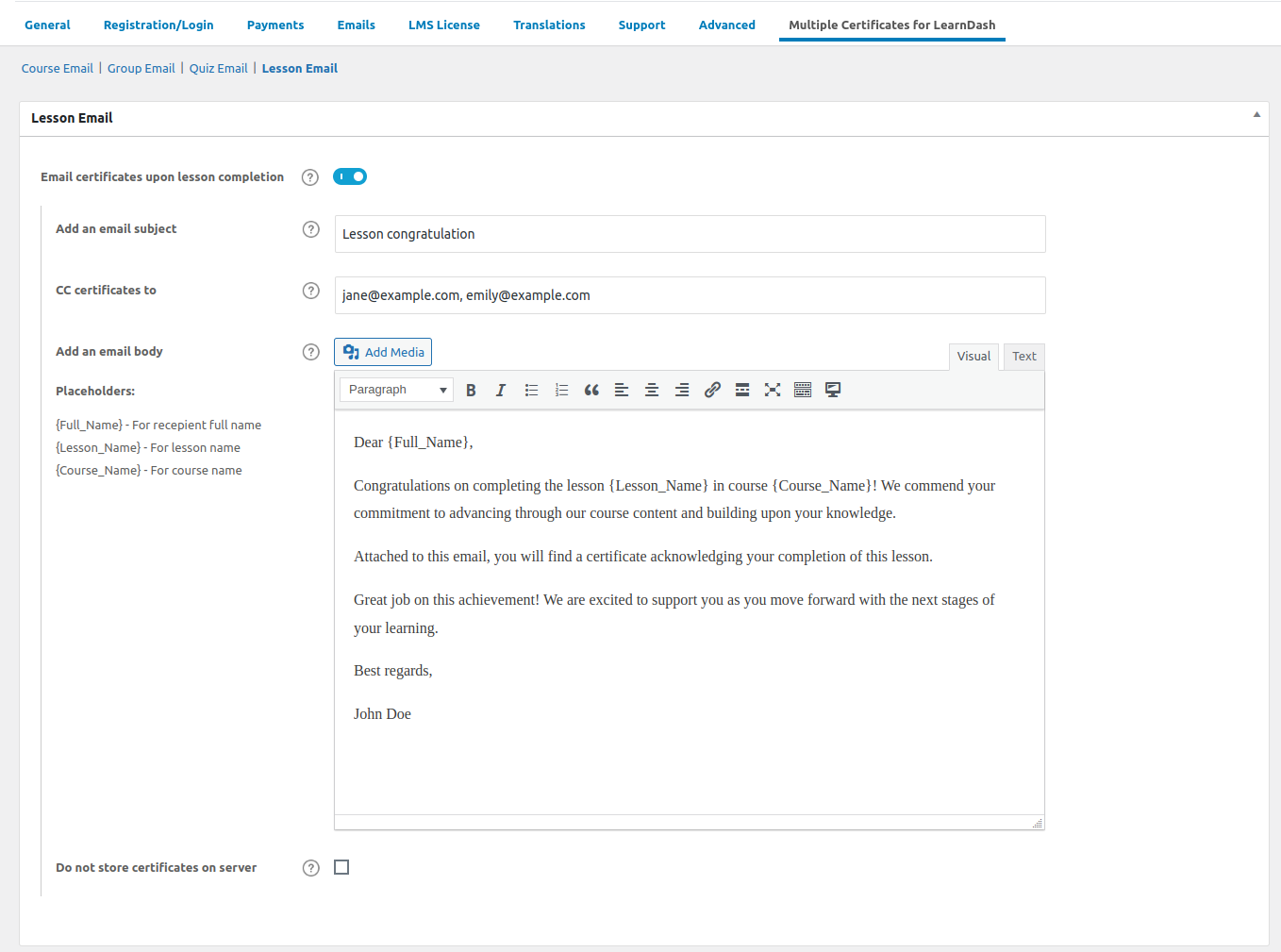
Lesson Certficates Email Settings
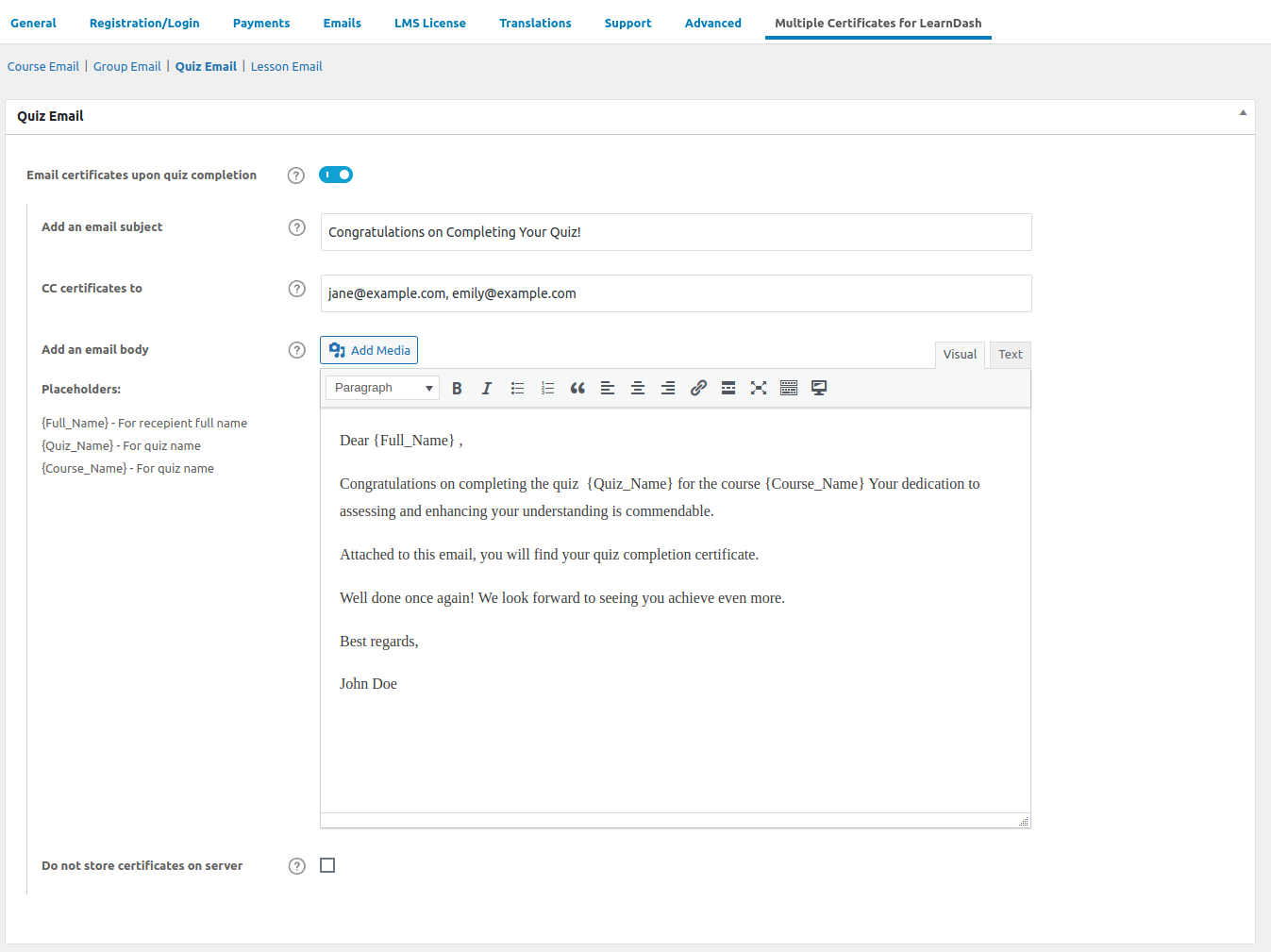
Quiz Certficate Email Settings
Documentation & Support
Installation Guide
Checkout our guides and instructions to setup Multiple Certificates Pro for LearnDash for a quick and hasslefree experience.
Changelog
Know about recent updates to get a better idea about recent changes in the plugin.
Reviews
 Transformative Learning Experience
This plugin has transformed our e-learning curriculum by allowing us to provide a more granular recognition system. Each step of the course can now be recognized with a specific certificate, which is not just motivating but also helps in better categorizing course completions. It’s a simple yet powerful tool that adds significant value to any educational program.
45 of 94 people found this review helpful.
Help other customers find the most helpful reviews
Did you find this review helpful?
 Customizable and User-Friendly
What I appreciate most about the Multiple Certificates plugin is its ease of use. Setting it up was straightforward, and the ability to customize each certificate to fit different courses and quizzes is fantastic. Plus, their customer support has been very helpful whenever I had questions.
42 of 91 people found this review helpful.
Help other customers find the most helpful reviews
Did you find this review helpful?
 Enhances Student Motivation
Seeing the immediate rewards in the form of multiple certificates has visibly boosted my students’ motivation. Each certificate represents a milestone for them, making the learning process more engaging and fulfilling.
48 of 99 people found this review helpful.
Help other customers find the most helpful reviews
Did you find this review helpful?
 Perfect for Varied Learning Paths
Our company’s training programs involve complex learning paths, and this plugin has been a game-changer. We can now award certificates for each module completed, which greatly motivates our staff. The plugin is easy to set up and integrates seamlessly with LearnDash.
48 of 95 people found this review helpful.
Help other customers find the most helpful reviews
Did you find this review helpful?
 Flexibility in Certification
The flexibility this plugin offers is outstanding. Being able to award multiple certificates per course allows us to recognize every little achievement of our learners. It’s made our programs more rewarding and personalized.
Thank you for your feedback.
44 of 91 people found this review helpful.