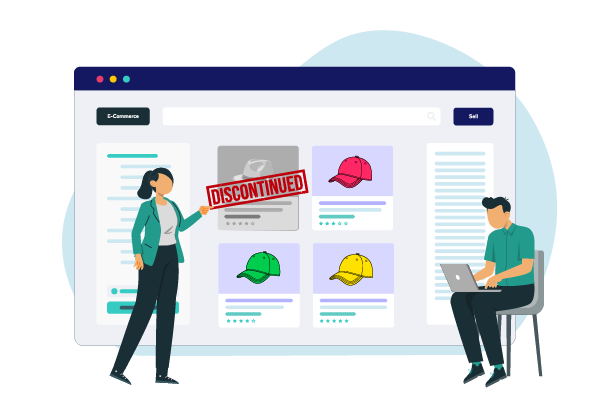
Discontinued Products Stock Status Pro for WooCommerce
End of Line, Start of Opportunities
“Discontinued Product Stock Status Pro for WooCommerce” revolutionizes how you manage end-of-life products. Keep customers informed and engaged by accurately marking products as ‘Discontinued’, guiding them to alternatives, and thus preserving SEO traffic and potential sales.
Current Version
2.2.0
WordPress
6.3.1 or Higher
WooCommerce
8.0.3 or Higher
PHP
8.1 or Higher
Last Update
20 Aug 2024
Plugin Overview & Features
Ever hit a roadblock when a product reaches its end-of-life but you’re not quite ready to say goodbye to its online presence? The “Discontinued Product Stock Status Pro for WooCommerce” is here to turn that full stop into a comma, opening up new avenues for both store owners and customers. This unique WooCommerce plugin allows you to mark products as ‘Discontinued’, offer other alternatives to the discontinued products and thus providing a transparent and efficient way to manage inventory in WooCommerce without losing potential sales or valuable SEO traffic.
Traditionally, WooCommerce store owners have juggled between the “In Stock” and “Out of Stock” statuses, leaving customers guessing about the future availability of products. Worse, deleting a product page squanders valuable SEO traffic and potential sales. This plugin introduces an innovative solution with a custom “Discontinued” stock status that not only provides clarity to your customers and retains your hard-earned SEO traffic but also helps you in recovering potential sales.
With “Discontinued Product Stock Status Pro,” you can now accurately communicate the status of your products, guiding customers towards alternatives and preserving your store’s SEO value. Whether it’s a simple item, a variable product, or even a digital download, this plugin has got you covered. Embrace the power of clear communication and keep your store’s catalog precise and customer-friendly.
How Can This Plugin Be Used?
- Handling Discontinued Variations of Products
- Phasing Out Older Models
- Graceful End-of-Life Product Announcements
- Seasonal Product Management
- Subscription Product Expiration
- Suggesting Alternatives After Discontinuation
- Managing Outdated Product Bundles
- Migrating from Discontinued to New Brands
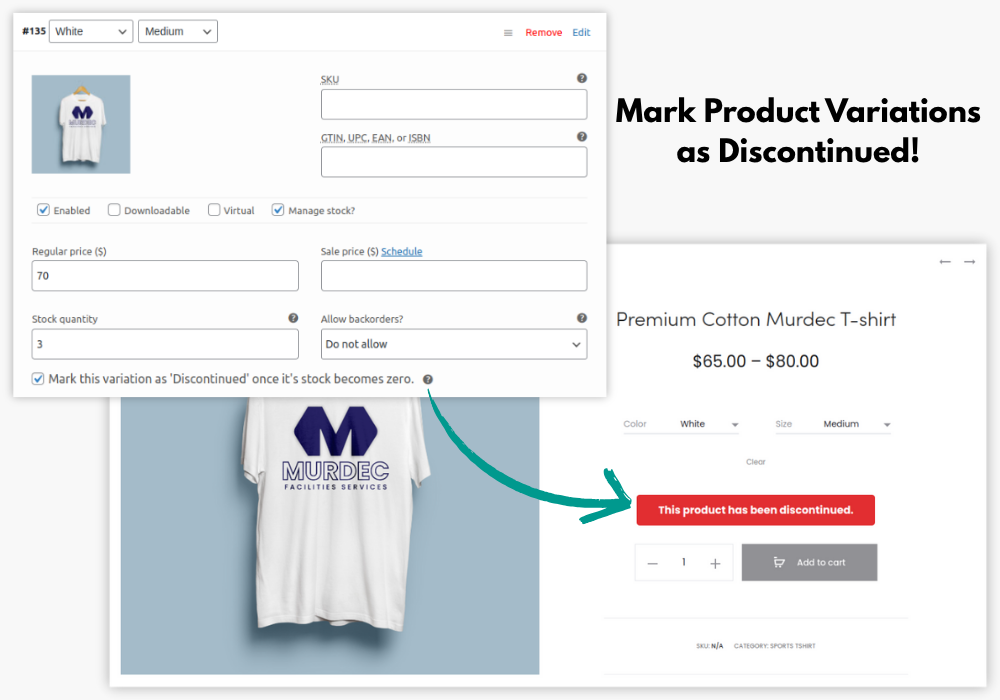
If your store sells variable products (such as clothing with different sizes or colors), you may discontinue specific variations (e.g., a size or color that will no longer be produced).
The plugin allows you to mark those variations as WooCommerce discontinued products while still showcasing the rest of the product line.
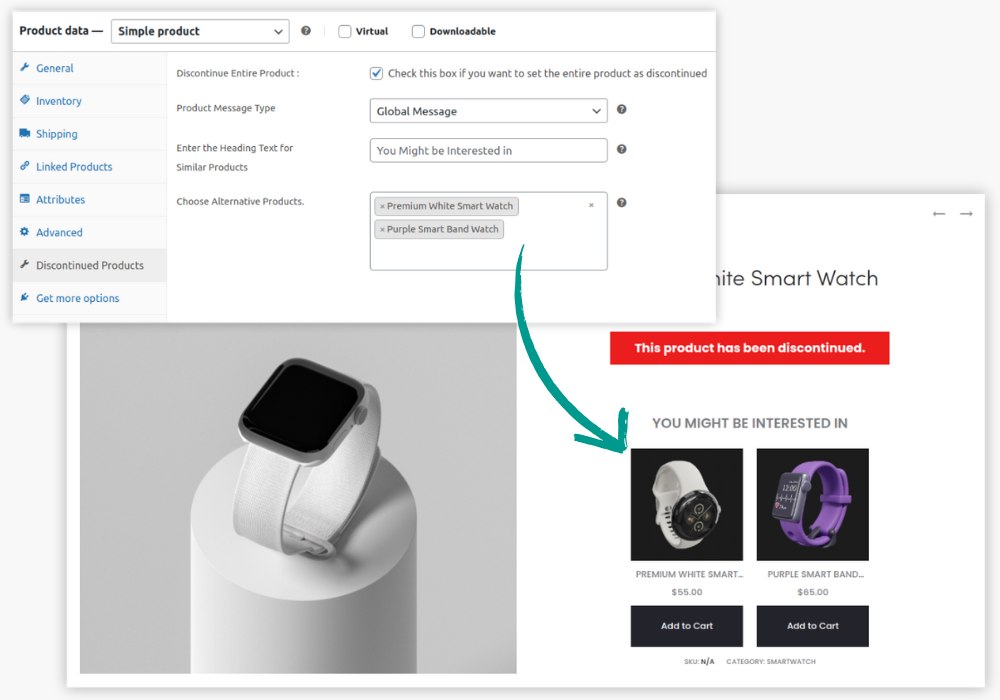
For stores selling products that come in updated models (such as electronics or fashion), when an older model becomes obsolete, you can use the plugin to automatically mark it as WooCommerce discontinued products and display newer alternatives.
This helps customers easily transition from older to newer models, enhancing their shopping experience and maintaining high sales for up-to-date stock.

When certain products are reaching the end of their life cycle (e.g., technology or appliances), you can use this plugin to plan in advance. Set up an automatic discontinuation when stock runs out, while informing customers of alternative or newer models. This ensures your WooCommerce discontinued products don’t cause frustration and helps smooth transitions to newer versions.
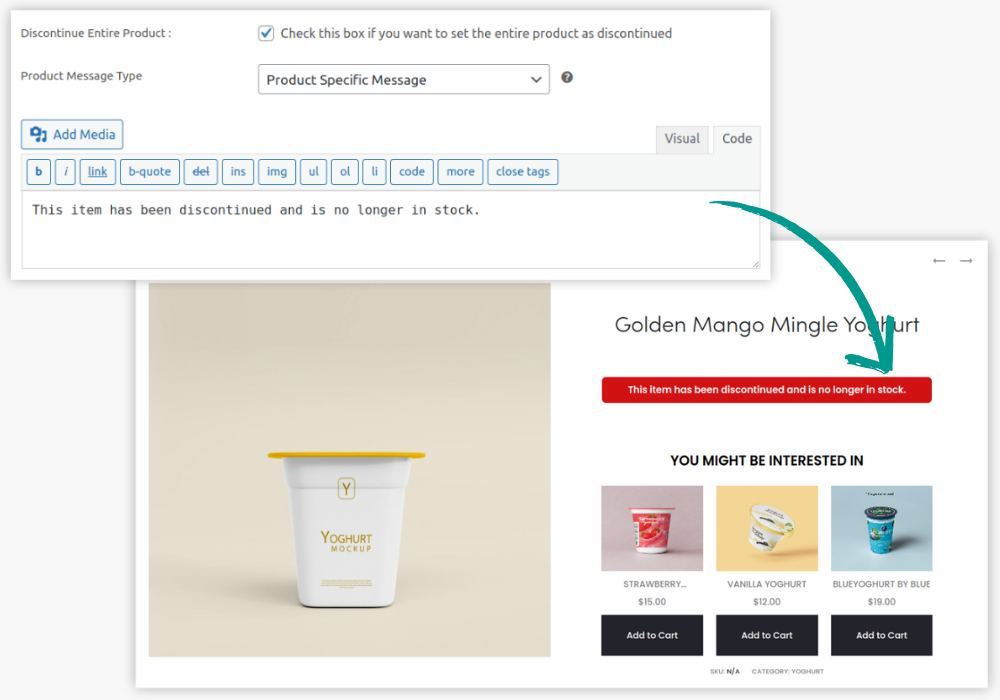
If your store sells seasonal items like holiday decorations or limited-edition products, you can set these items to automatically move to Discontinued WooCommerce settings for discontinued products once they sell out.
With the Discontinued Products Stock Status Pro for WooCommerce plugin, you can showcase product alternatives to keep customers shopping and ensure your WooCommerce inventory remains dynamic and relevant even after seasonal stock runs out. This also avoids displaying products as WooCommerce out of stock, providing a more informative experience for customers.
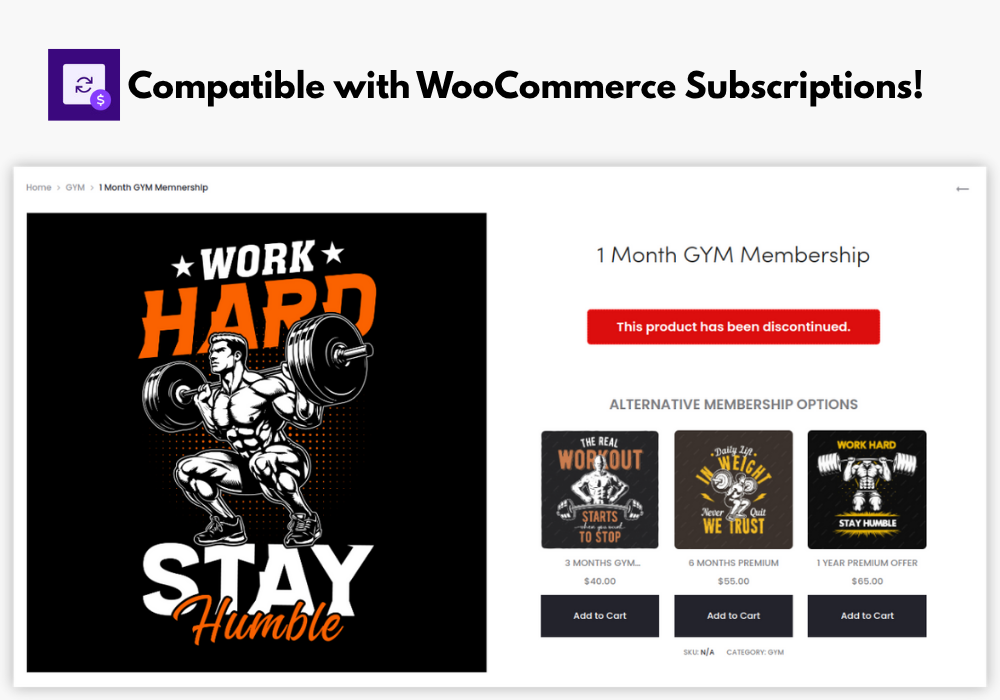
If you offer subscription-based products, such as software licenses or memberships, you can plan in advance when these items will be phased out. The plugin supports WooCommerce subscription products, marking them as discontinued when no longer available and recommending alternatives, ensuring subscribers always have access to the newest offerings.
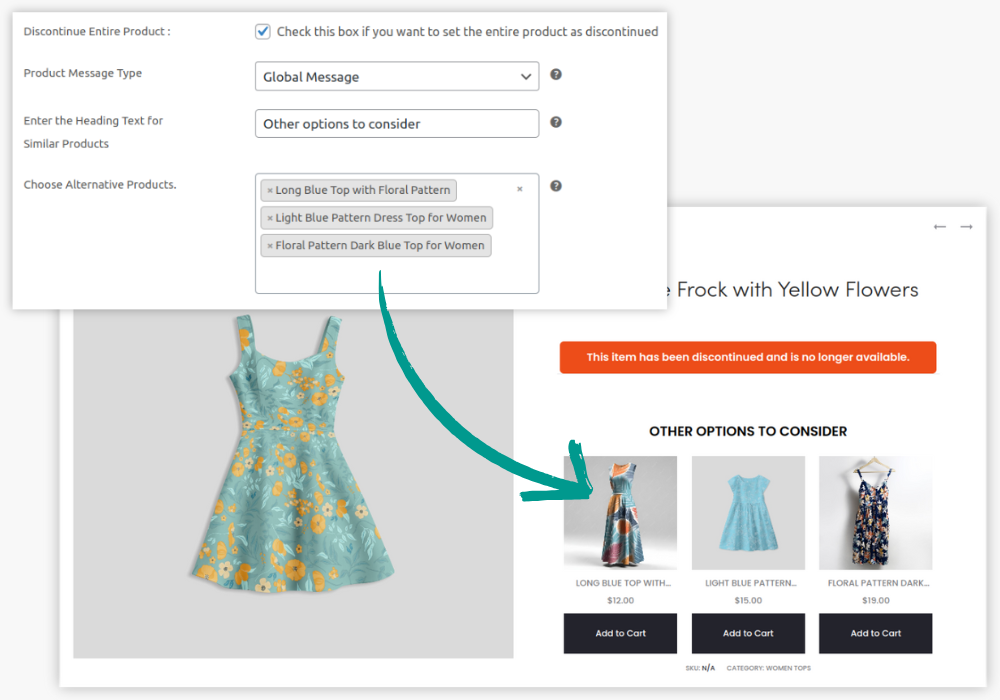
With the help of Discontinued Products Stock Status Pro for WooCommerce plugin, you can promote alternative products to the customers viewing the discontinued product, encouraging pre-purchases of alternatives and maintaining customer interest as stock winds down.
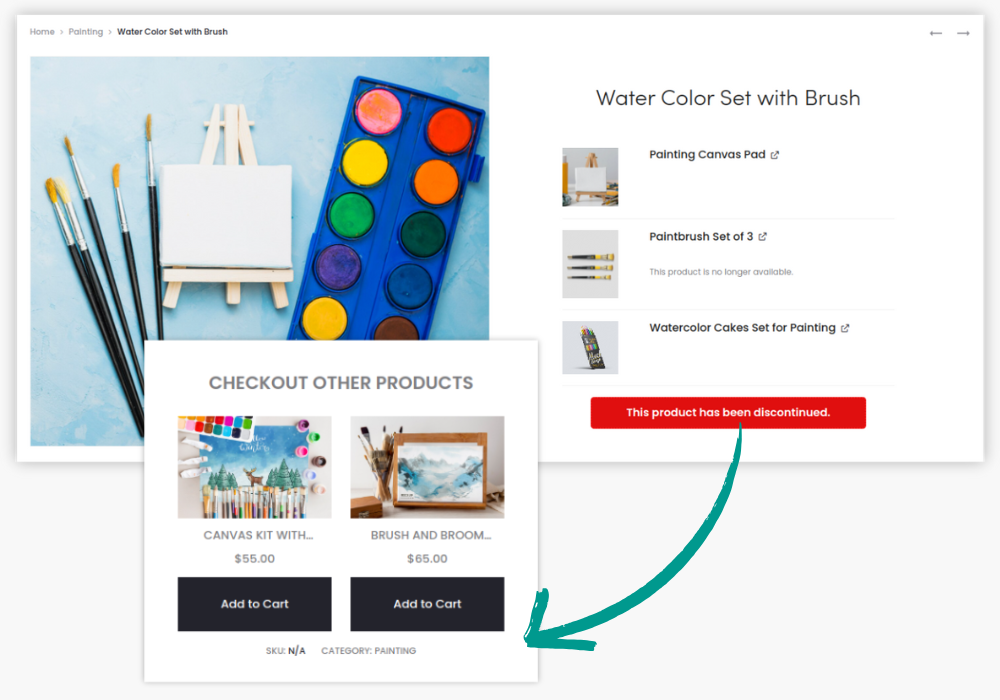
For stores that sell product bundles, such as gift baskets or combo deals, WooCommerce discontinued products within the bundle can be automatically replaced by similar items.
The plugin ensures customers still receive full, updated bundles without manually adjusting each product listing, maintaining a seamless stock status WooCommerce inventory for bundled products.
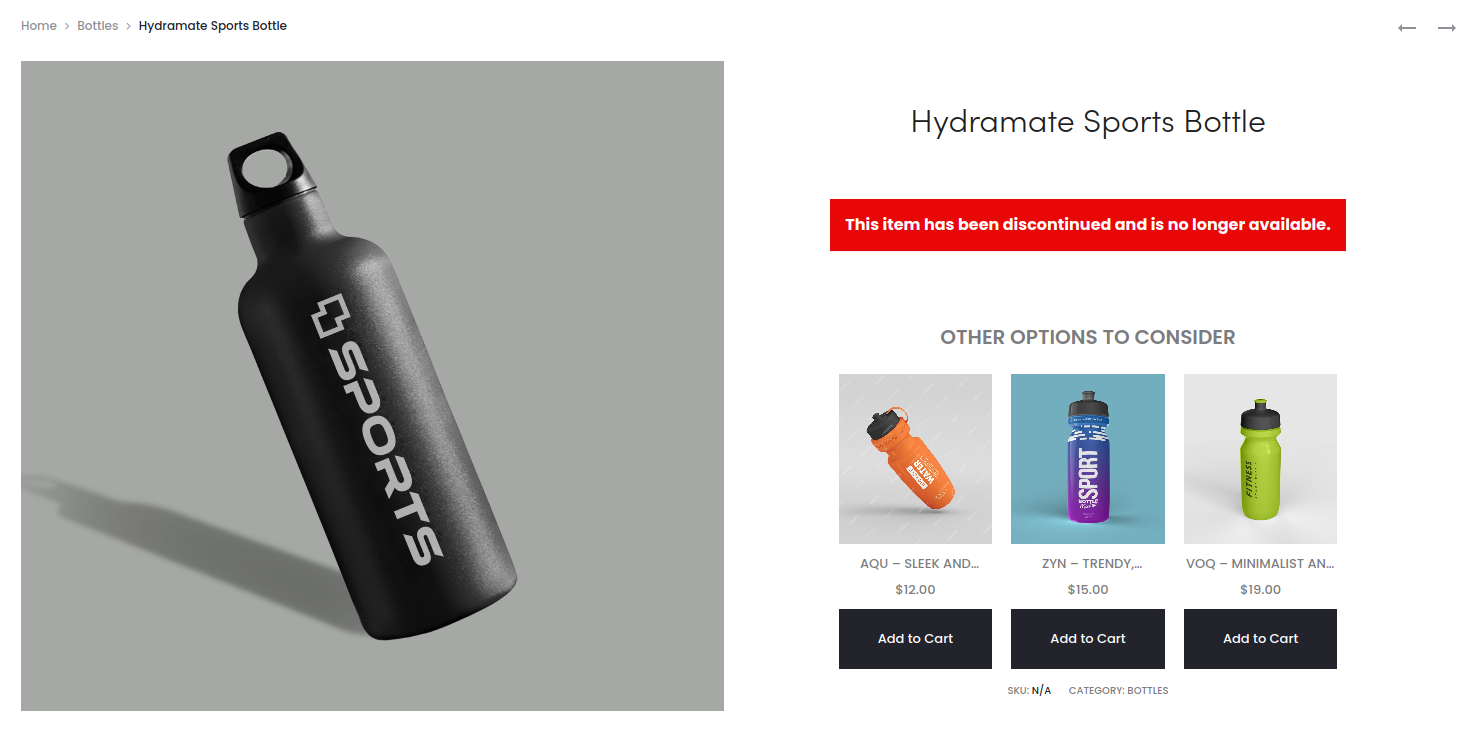
If your store is transitioning from one brand to another (e.g., discontinuing working with a supplier or product line), you can mark all items from the outgoing brand as WooCommerce discontinued products.
During this phase, you can display new brand alternatives on the discontinued product page, helping customers easily switch to the new options and keeping them engaged without confusion.
Display Product Alternatives for Discontinued Product
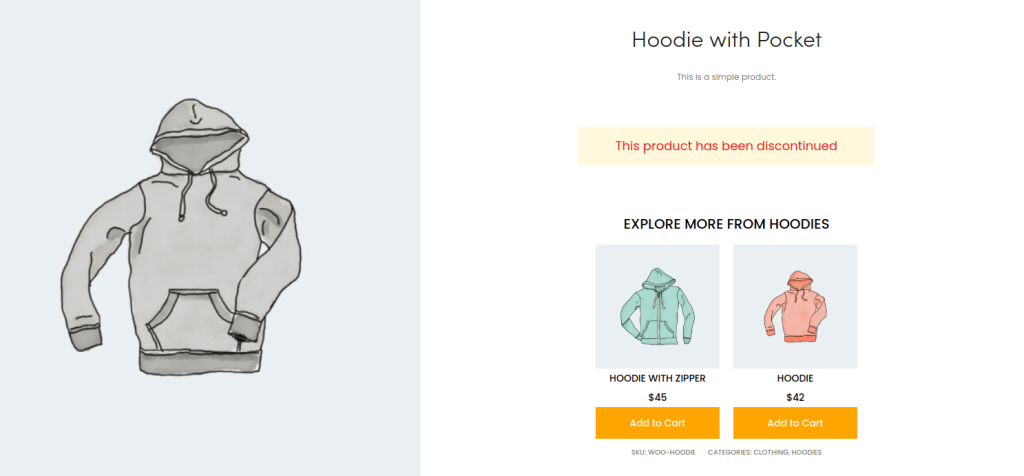
With this new feature, you can choose to show products that are good alternatives to the discontinued product on its product page. This enables customers to make swift purchase decisions instead of expecting them to manually search for alternatives in your store.


Supports All Product Types
Whether your product is Simple, Variable, Grouped, our plugin ensures you can mark it as discontinued, maintaining clarity across your catalog.
Global and Product-Specific Messages
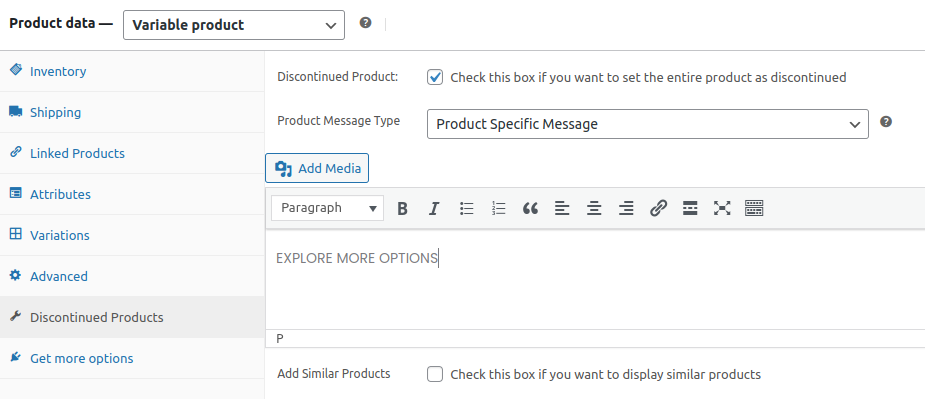
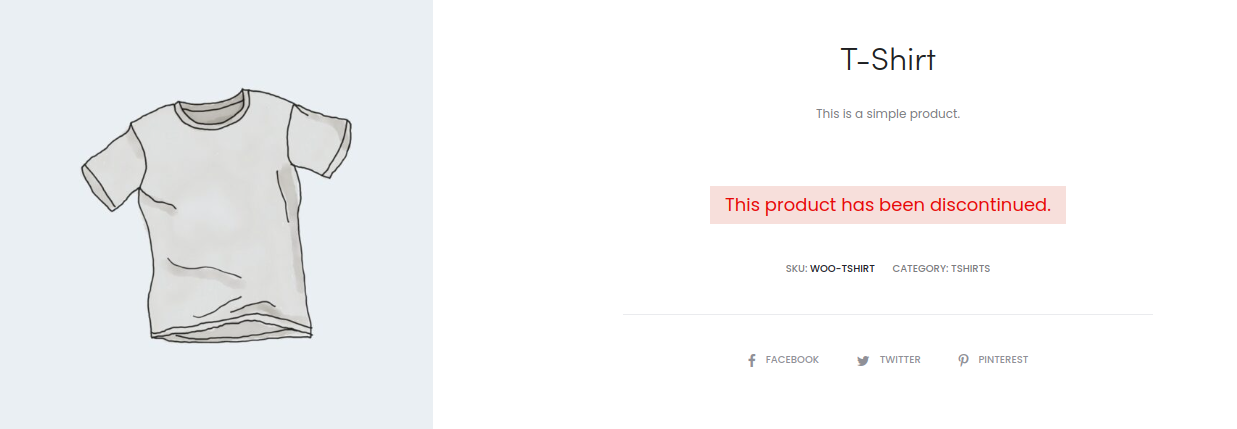
Craft a universal message for all discontinued products on your entire store or tailor specific ones for individual items, offering clear guidance to your customers.
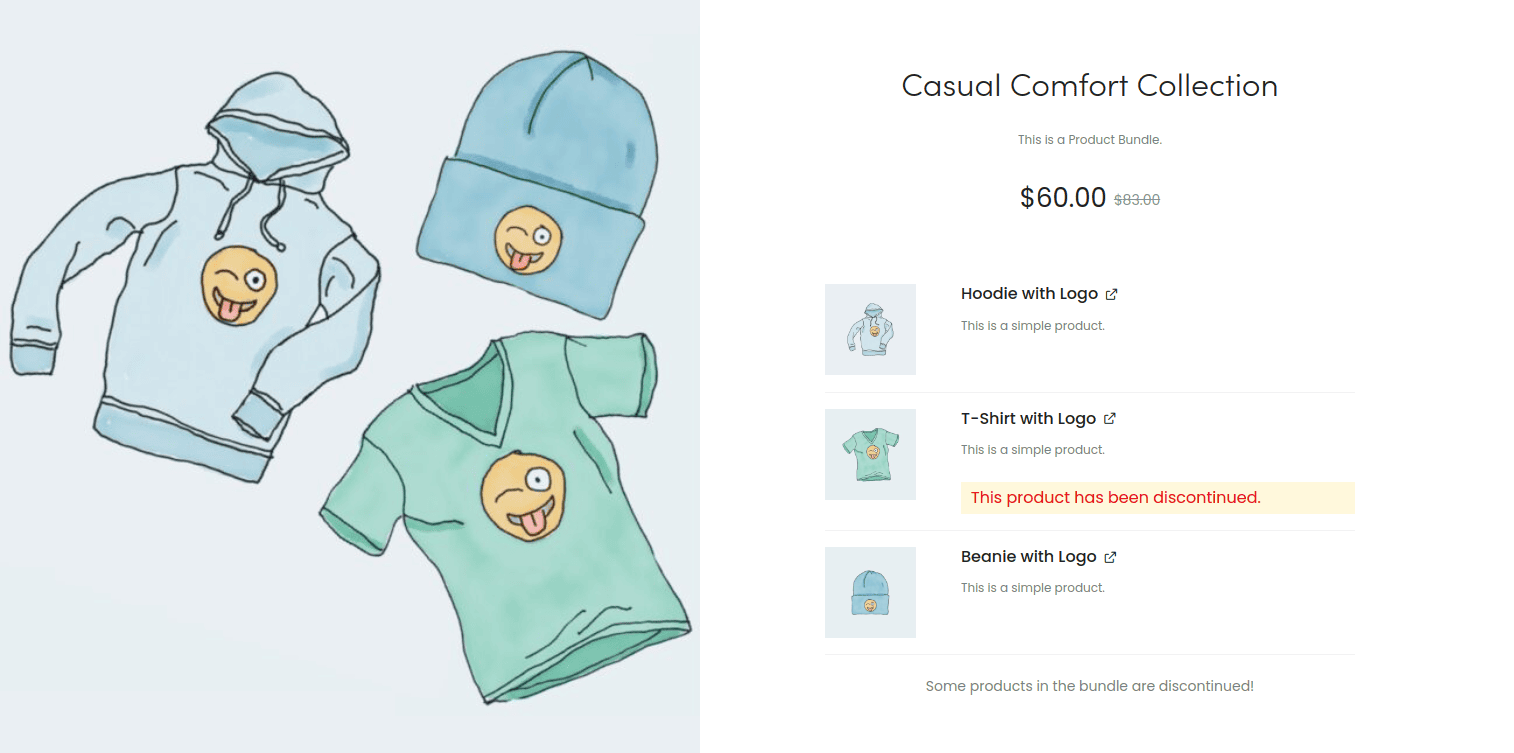
Compatibility with WooCommerce Subscriptions and WooCommerce Product Bundle
Apart from the WooCommerce default product types, this plugin also supports additional product types of Simple subscription, Variation Subscription and Product Bundle.
Automatic Discontinuation
Plan ahead by marking WooCommerce products as discontinued in advance. Once the stock hits zero, the product automatically shifts to discontinued, preventing any last-minute buyer disappointments. This is ideal for all end-of-life items in your store.
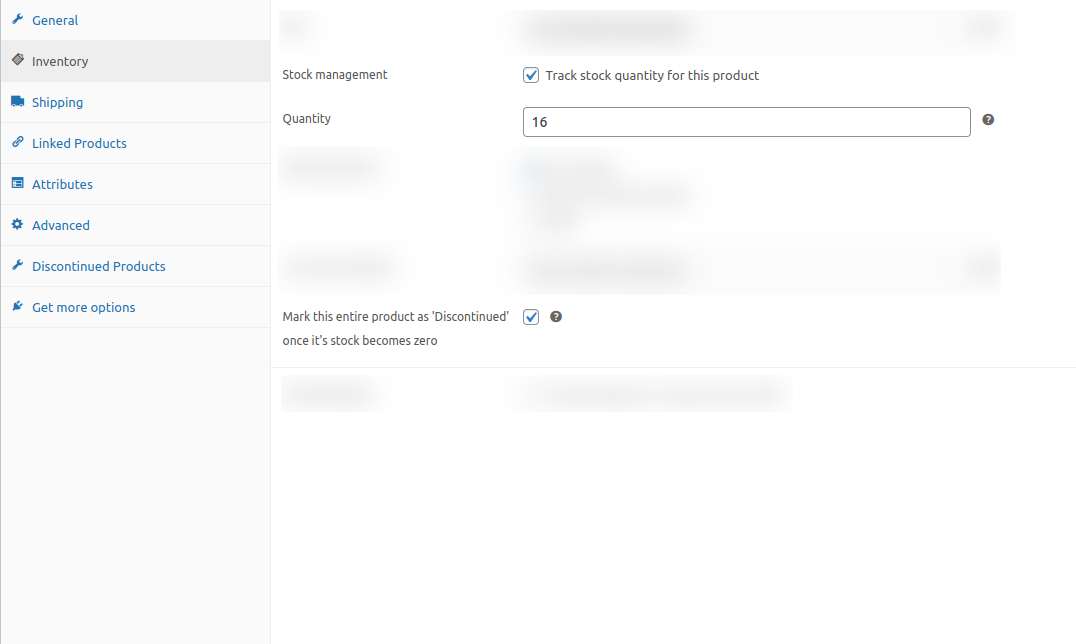
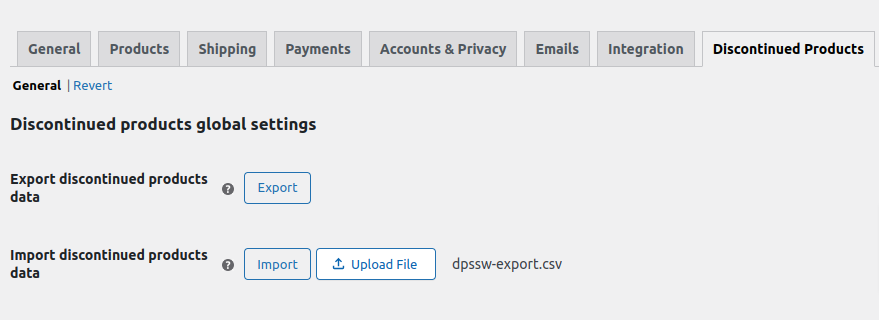
Easy Migration – Exporting Discontinued Products Meta
If you’re planning to migrate your WooCommerce products to another WooCommerce site, then this feature will come handy and will allow you to export all of your discontinued products’ settings, messages, alternative products that you have set on the product-level and global-level and import it into your new store.
Message Customization Options
Whether your message is Global pr Product-Specific, this plugin also offers you styling options for both Product level and especially Global Level. Now, you can customize your messages effortlessly and quickly from the dashboard itself.
Customizable Headers
Add a personal touch to the similar products grid on your discontinued product pages with a custom header, making your site stand out and speak directly to your customers’ needs.
Discontinued Products Stock Status Pro is Compatible with Popular Add-ons








Click for a Live Demo of 'Discontinued Product Stock Status Pro for WooCommerce'
View DemoPricing Plans
$
$
$
$
$
$
$
$
$
$
$
$

100% Risk-Free Money Back Guarantee!
We guarantee you a complete refund for new purchases or renewals if a request is made within 15 Days of purchase
Frequently Asked Questions
Know the Difference between Free version and the Pro version of the Plugin
Here’s the difference between the free and pro version of the plugin. If you are not ready for the Pro Version, You can download the free version of the plugin from here. Also you can view a demo of pro version here.
Can this plugin handle variations of a product?
Absolutely! From simple products to complex variations, our plugin allows you to mark any item as discontinued, ensuring your catalog is always up-to-date.
Will setting a product as discontinued affect my store's SEO?
On the contrary, by keeping discontinued product pages live with clear messaging, you’ll maintain SEO traffic and potentially convert visits into sales of alternative products.
Can I set a product to automatically become discontinued?
Yes, you can mark a product as discontinued in advance. When its stock quantity reaches zero, it will automatically update to show as discontinued.
How can I direct customers to alternative products?
Our plugin lets you link up to four similar products on each discontinued product page, making it easy for customers to find alternatives.
Is it possible to customize messages for discontinued products?
Definitely! You can set a global message for all discontinued products or customize messages at the product or variation level for more personalized communication.
Can I use this plugin for downloadable and virtual products?
Yes, our plugin supports all product types in WooCommerce, including downloadable and virtual products, ensuring versatility across your entire catalog.
How does this plugin help in retaining customers?
By clearly communicating the discontinued status of products and guiding customers to alternatives, you’re likely to retain customers and potentially increase sales through alternative product recommendations.
I am not able to find the solution I’m looking for. Can you develop it for me?
Yes, we offer Custom WooCommerce Development services for specific requirements.
Screenshots
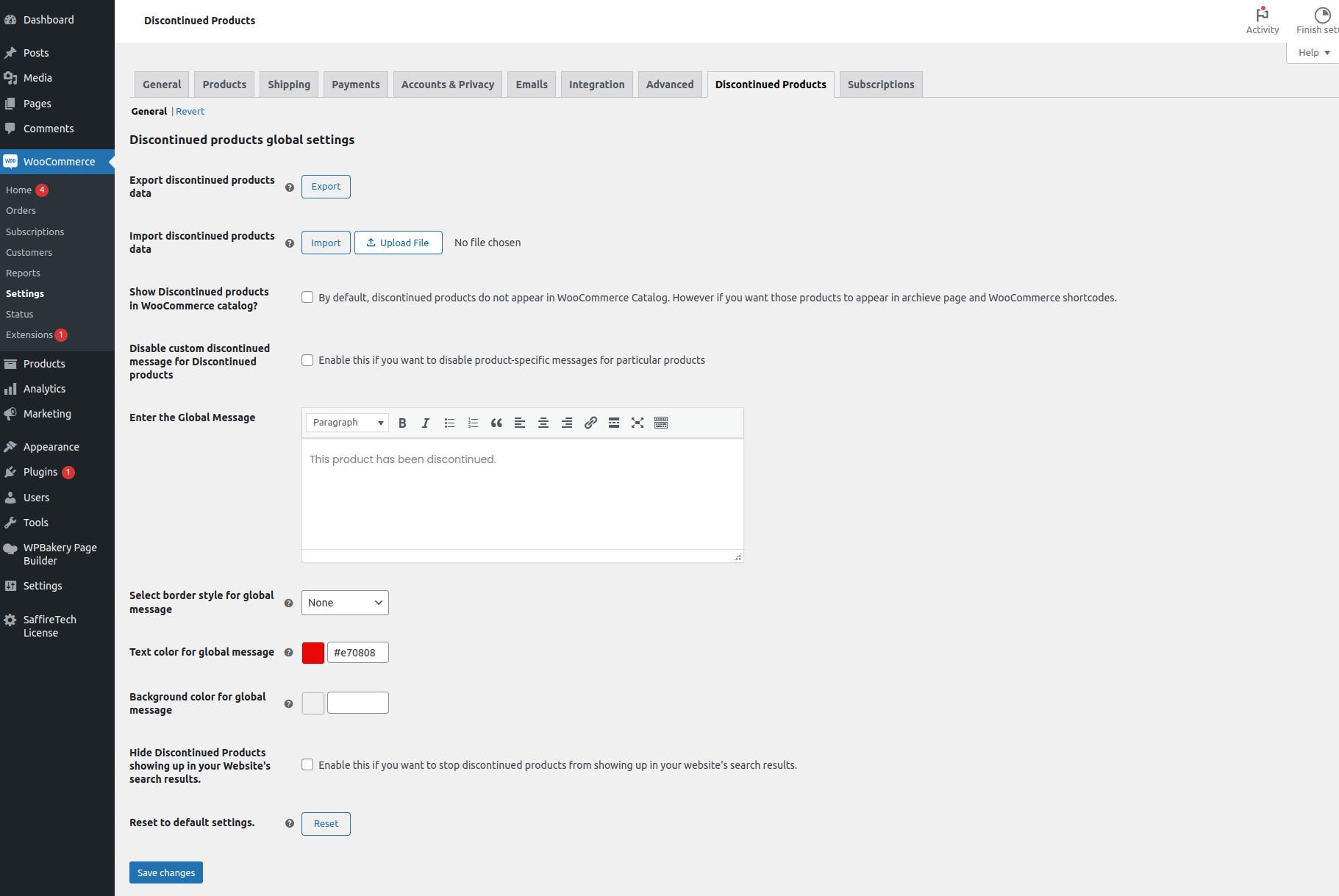
General Settings
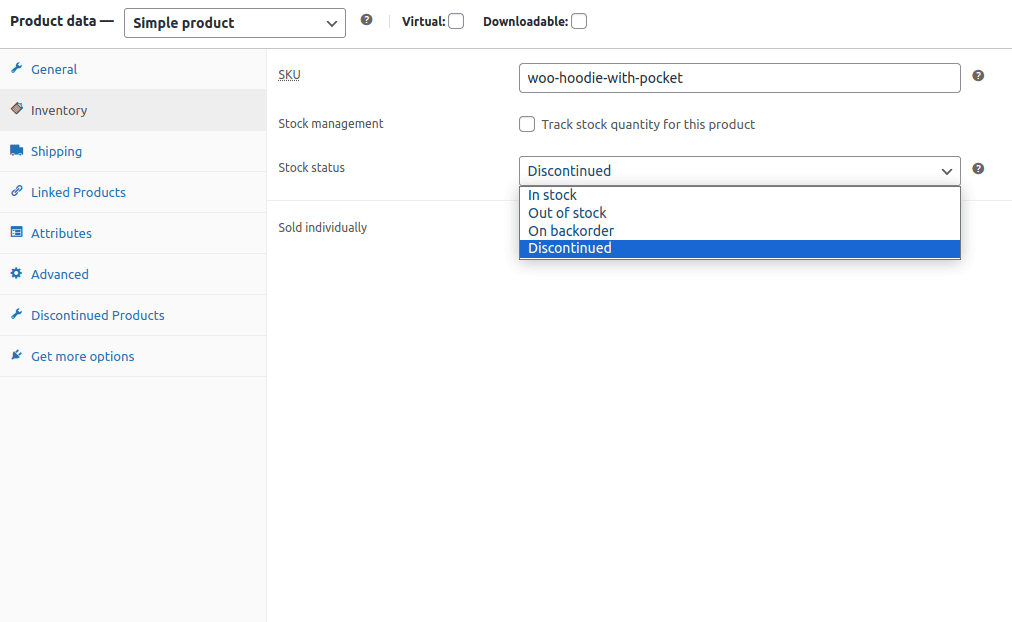
Setting a Simple Product as Discontinued
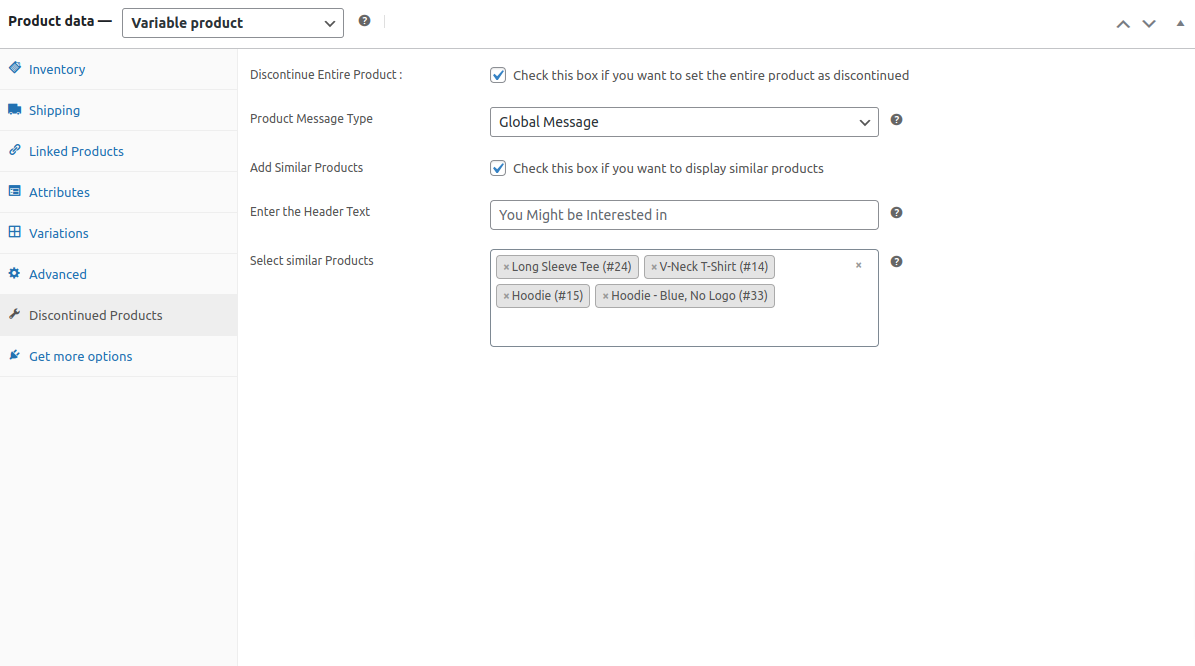
Setting Similar Products for a Discontinued Product
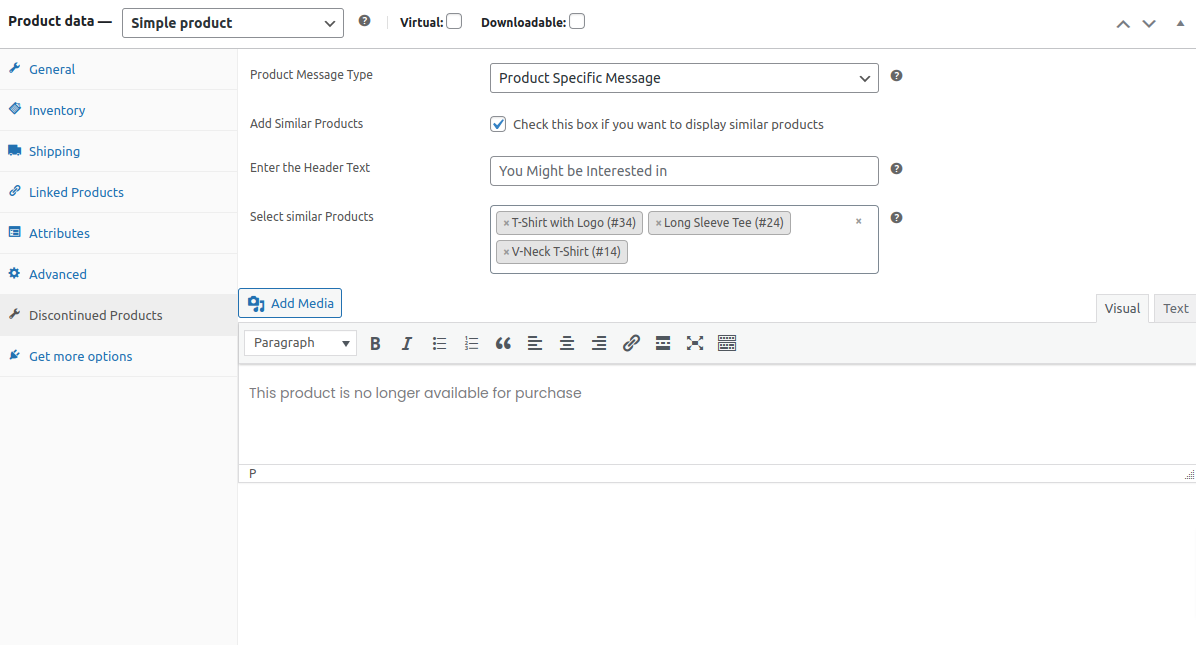
Setting Product Specific Message
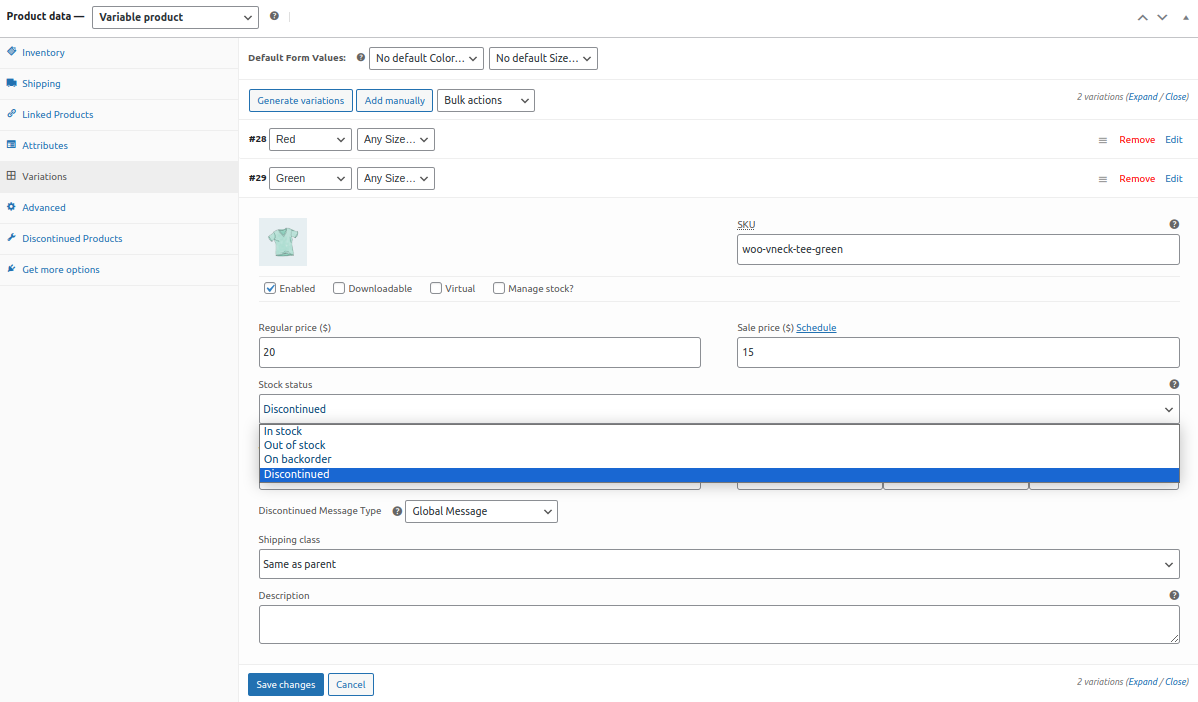
Setting a Variation of Product as Discontinued

Customizable Headers
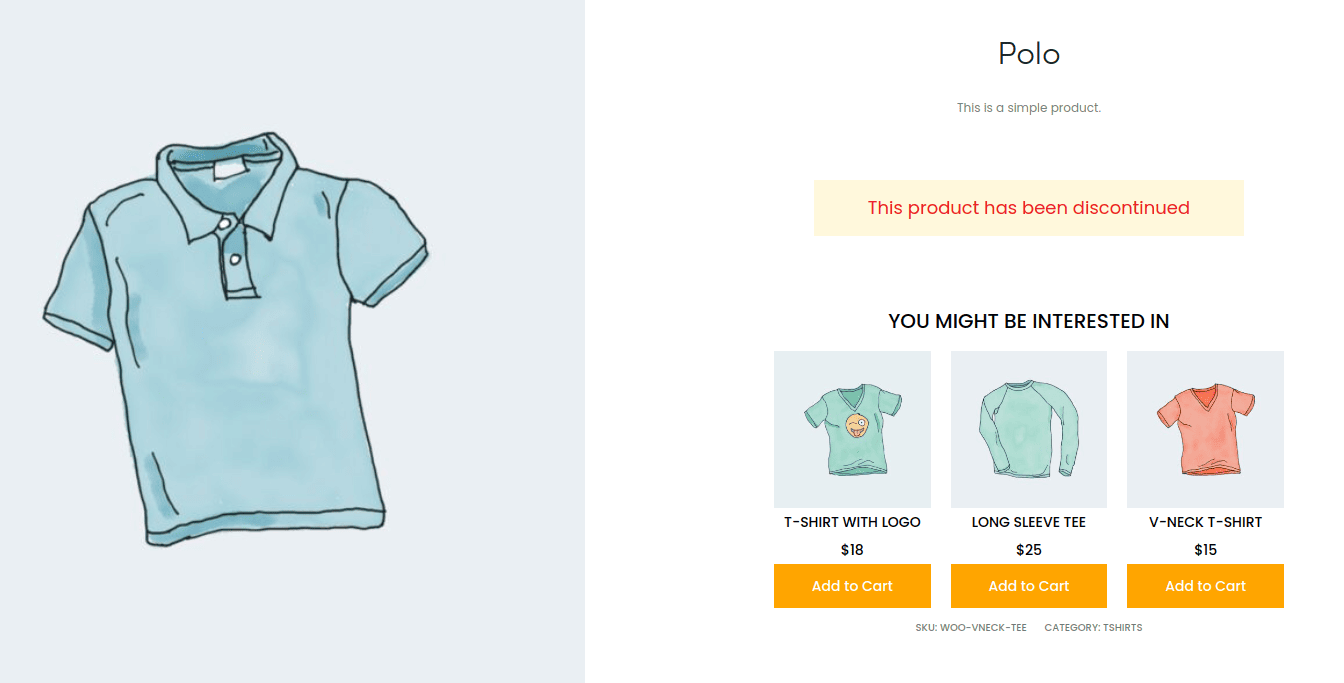
Display Product Alternatives for Discontinued Product

Supports All Product Types
Documentation & Support
Installation Guide
Checkout our guides and instructions to setup Dynamic Cart Messages Pro for WooCommerce for a quick and hasslefree experience.
Changelog
Know about recent updates to get a better idea about recent changes in the plugin.